
Kuvaus
The Ultimate WordPress Recipe Plugin for your Food Blog
Easily create and share mouthwatering recipes with Recipe Card Blocks. With its sleek design and intuitive features, it’s never been easier to create professional-quality recipes on your website.
10.000+ websites are getting more traffic from Google by adding food recipes using Recipe Card Blocks!
👉 New Website → recipecard.io NEW! 👈
⭐️ Recipe Card Blocks PRO NOW AVAILABLE! ⭐️
📩 Subscribe to our newsletter for updates
🥑 View Demo 🥑
Did you find this plugin helpful? Please consider leaving a 5-star review.
Inspired by our popular food blog theme Foodica, Recipe Card Blocks is a powerful WordPress recipe plugin that adds beautiful recipe cards to the new block editor & Elementor to help you create recipes easily on your food blog.
📌 INCLUDED BLOCKS
- Recipe Card (with Schema.org Markup)
- Recipe Details
- Ingredients
- Directions
- Nutrition Facts
- Recipe Card Widget for Elementor
📌 FEATURES
- Elementor Support
- Structured Data Integration
- AMP Support
- Multiple Designs
- Gutenberg-ready
- Works with any theme
- Video integration
- GDPR-compliant
- Bulk Add Ingredients and Directions
- WPML Support
- Recipe Shortcode
⭐️ PRO FEATURES ⭐️
- Star Rating
- Unit Conversion (US – Metric) – 🆕
- Comments Rating
- Recipe Submissions – 🆕
- Recipe Roundup – 🆕
- Equipment
- Cook Mode
- Gallery in Directions
- Multiple Styles
- Adjustable servings
- Ingredients quantity
- Custom Pinterest image and description for Pin
- Color Schemes
- Food Labels – 🆕
- Social Call-to-action (Facebook, Instagram, Pinterest)
- Premium Support
- and many new features coming soon!
⭐️ Get the PRO version! ⭐️
📌 WHAT’S NEW IN 3.0?
- You can now view all your recipes created using Recipe Card Blocks on the All Recipes page. Managing your recipes or adding new ones has become much easier!
- Added a new tool to collect all recipes from all posts and organize them in the new Recipes section
📌 WHAT’S NEW IN 2.3?
- Added Video Recipe feature in the block
- Numerous changes and improvements; new admin menu
📌 WHAT’S NEW IN 2.1?
- New Feature: Ingredients and Directions Groups: you can now organize in sub-sections ingredients and directions
- New Feature: Bulk Add. You can add ingredients and directions by inserting more entries at once.
📌 WHAT’S NEW IN 2.0?
- New Block with Schema Markup: Recipe Card Block (schema.org)
- Now you can use a single block to create a recipe card. You don’t have to add any more blocks like Ingredients or Directions separately.
- JSON-LD Schema Markup
- 2 Styles
- New Settings Page (Settings > WPZOOM Recipe Card)
- You can now add Images in the Directions
📌 Where I can view a Demo?
You can view the Recipe Card Block live here.
🙌 FOLLOW US
100% GDPR COMPLIANT
This plugin is 100% GDPR compliant. It doesn’t integrate any Google Fonts.
Recipe Card Blocks does not collect any information outside your WordPress installation, therefore it’s 100% GDPR compliant.
Kuvankaappaukset
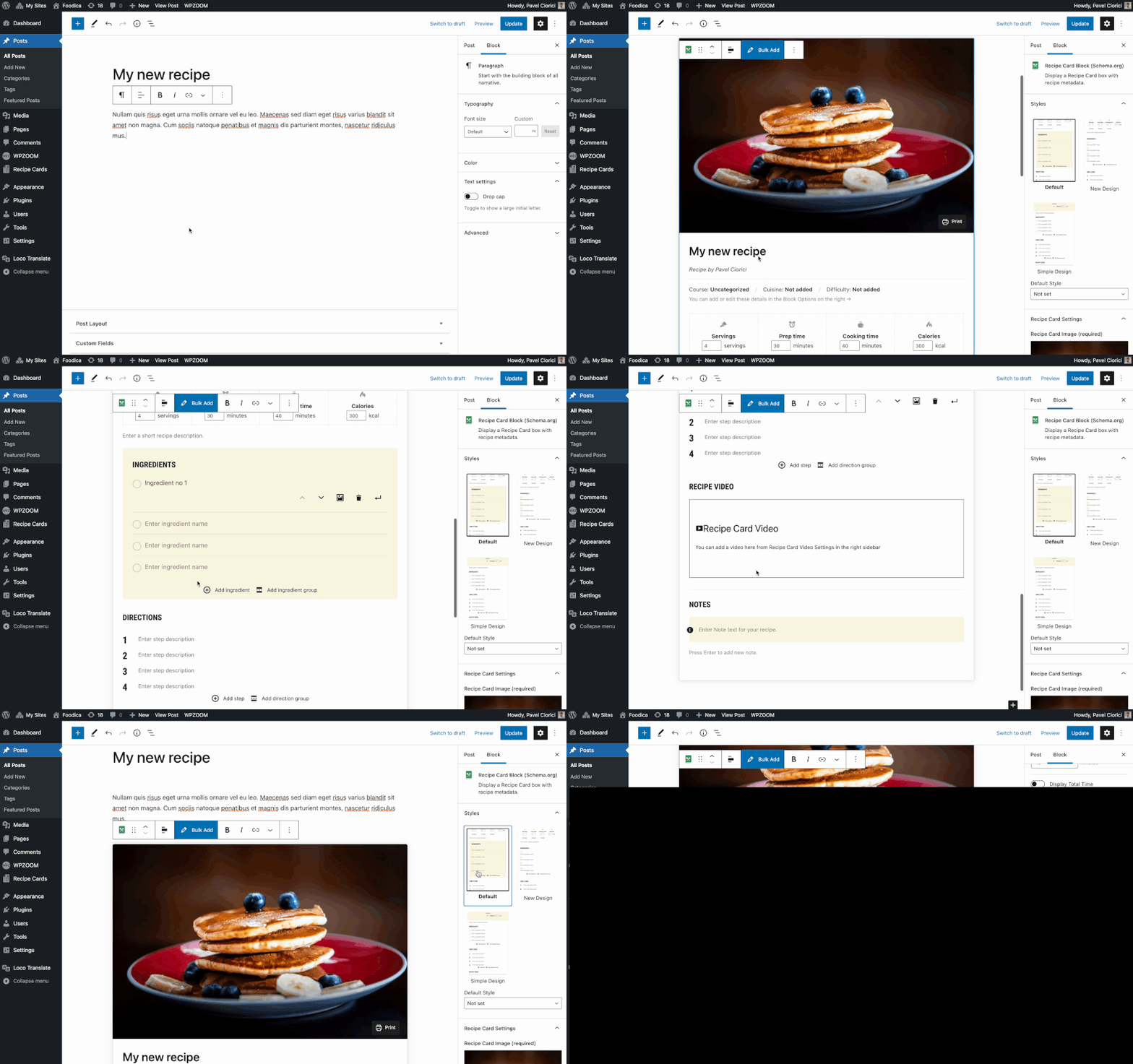
Adding a recipe card to the editor 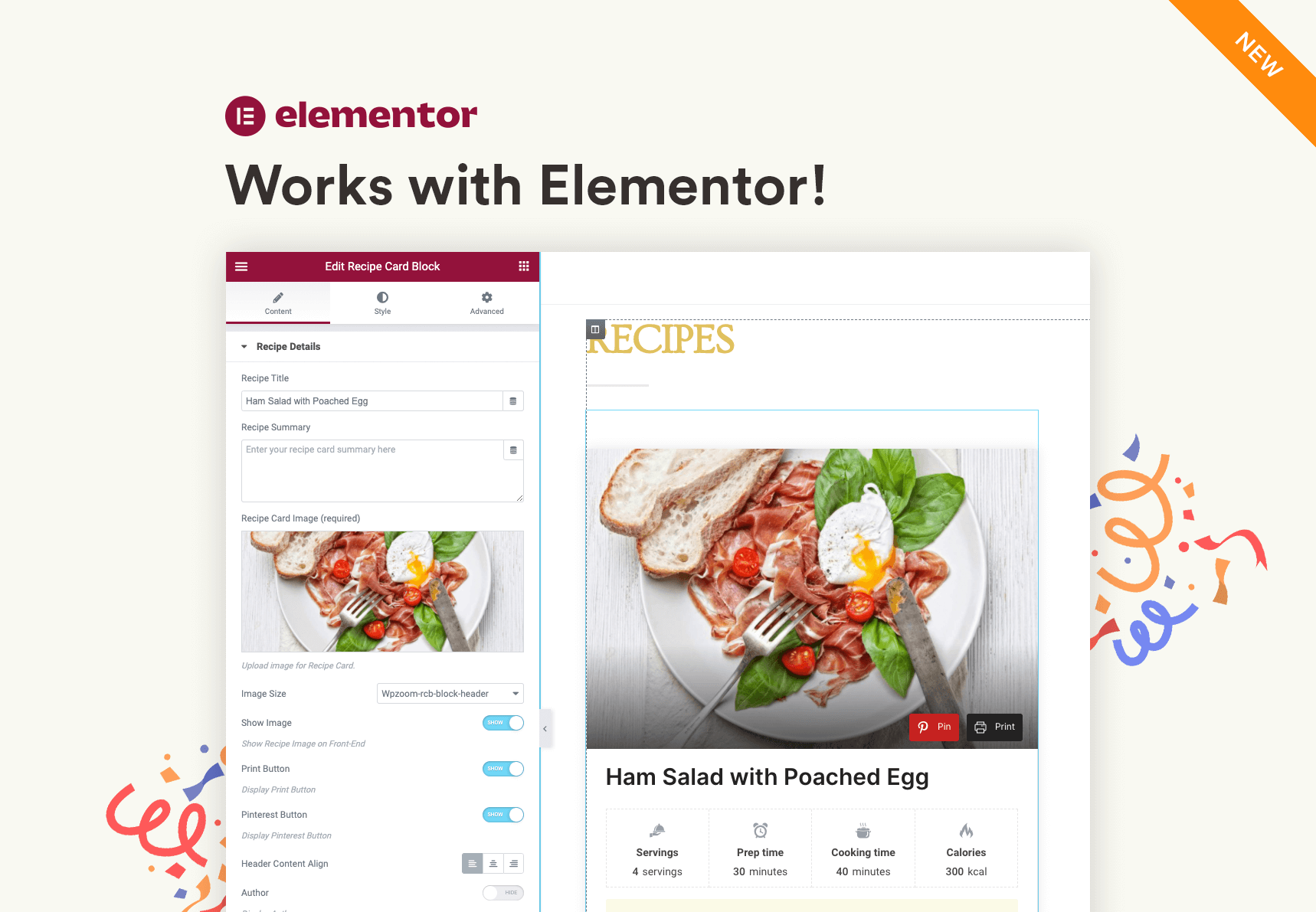
Recipe Card widget in Elementor 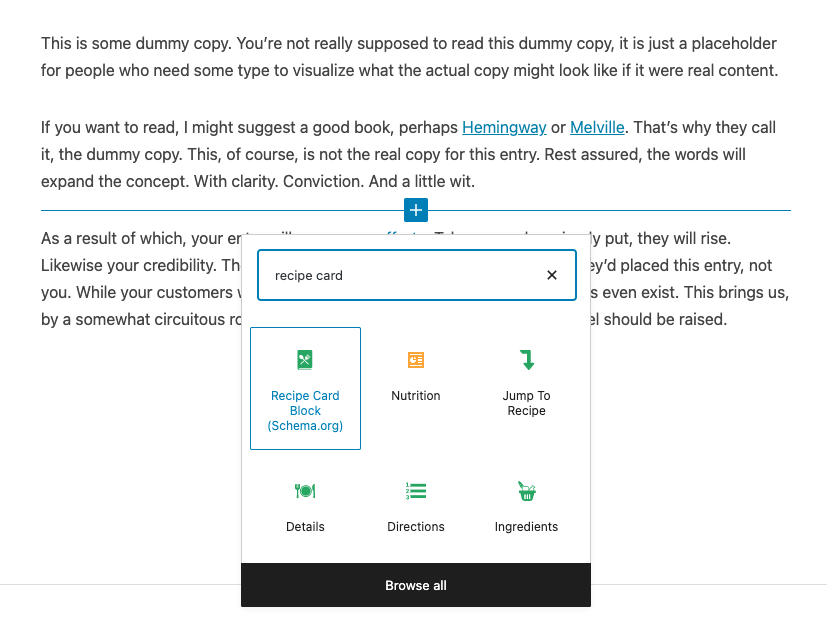
All blocks included 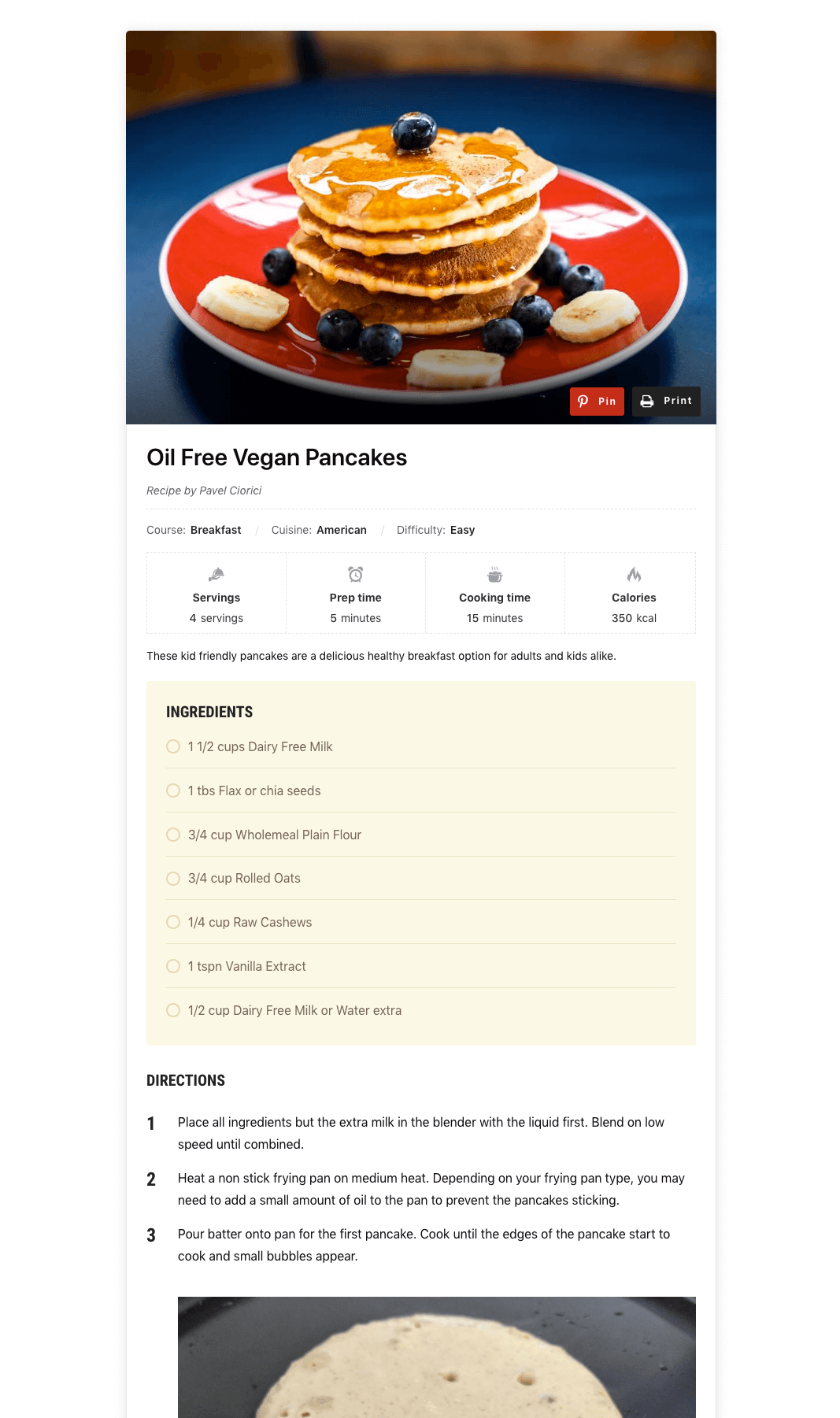
Preview of the Recipe Card Block 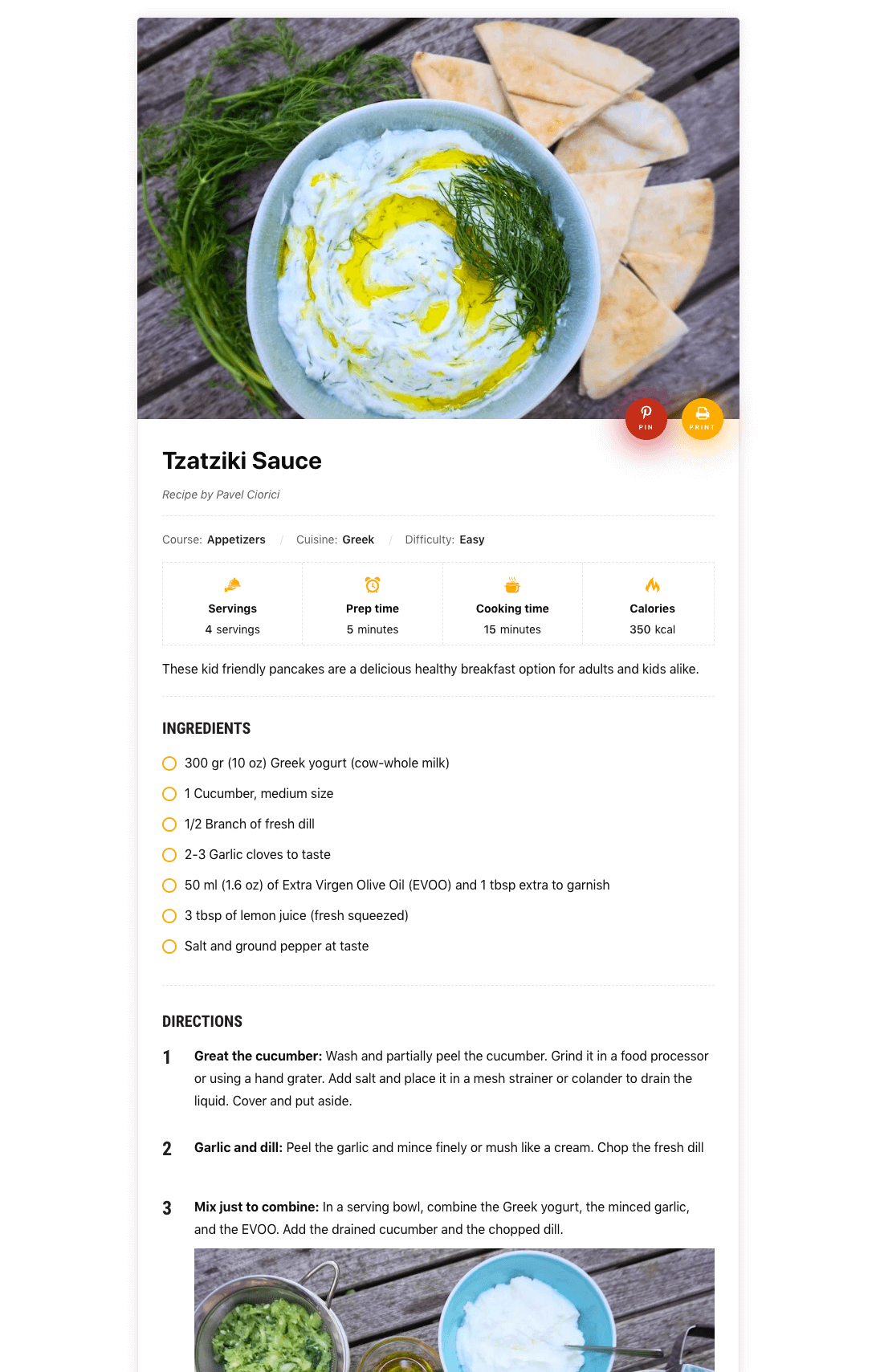
Additional Design for Block 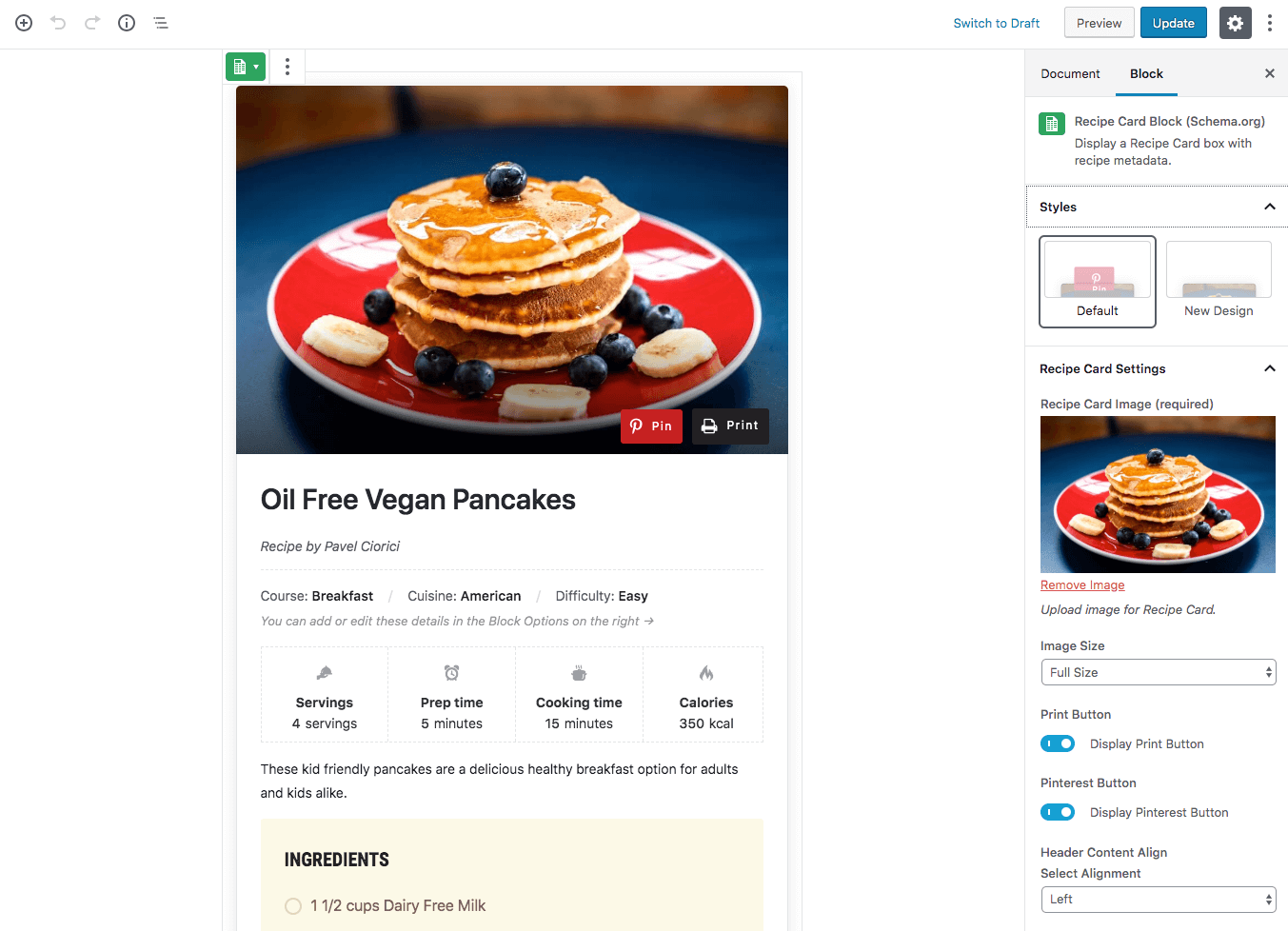
Block Editor 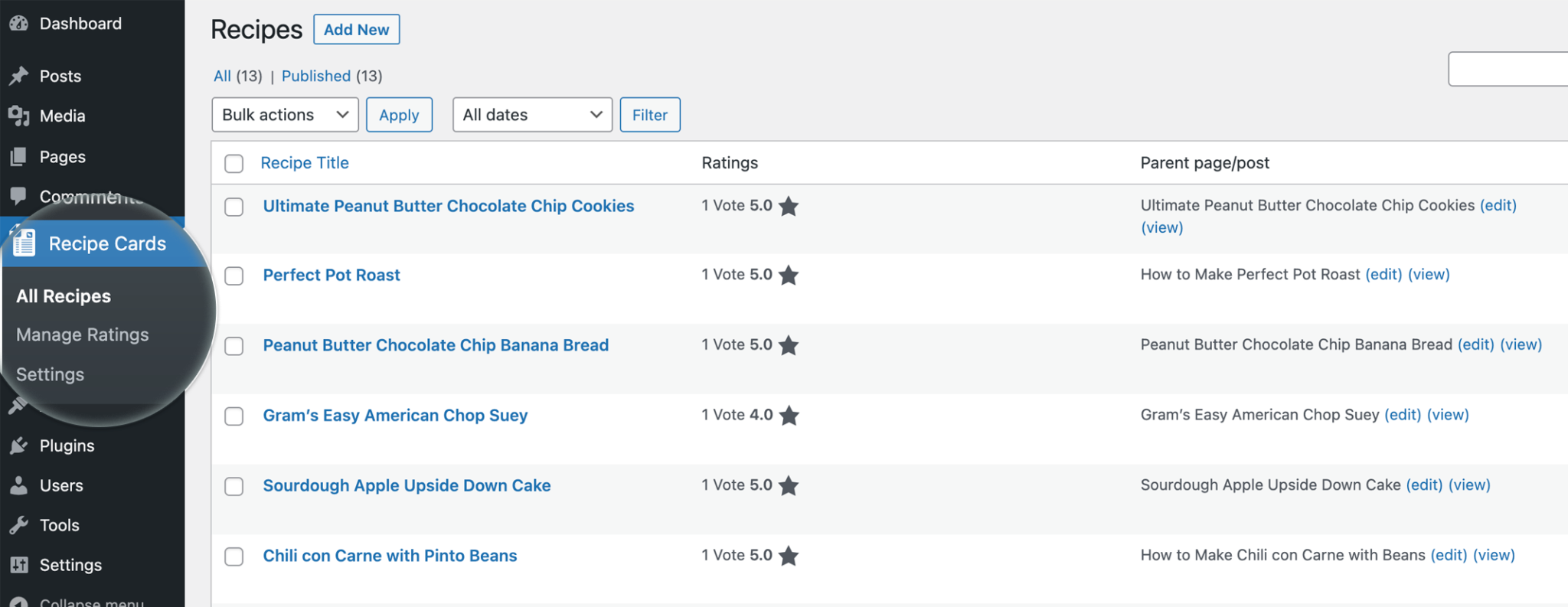
Recipes Page 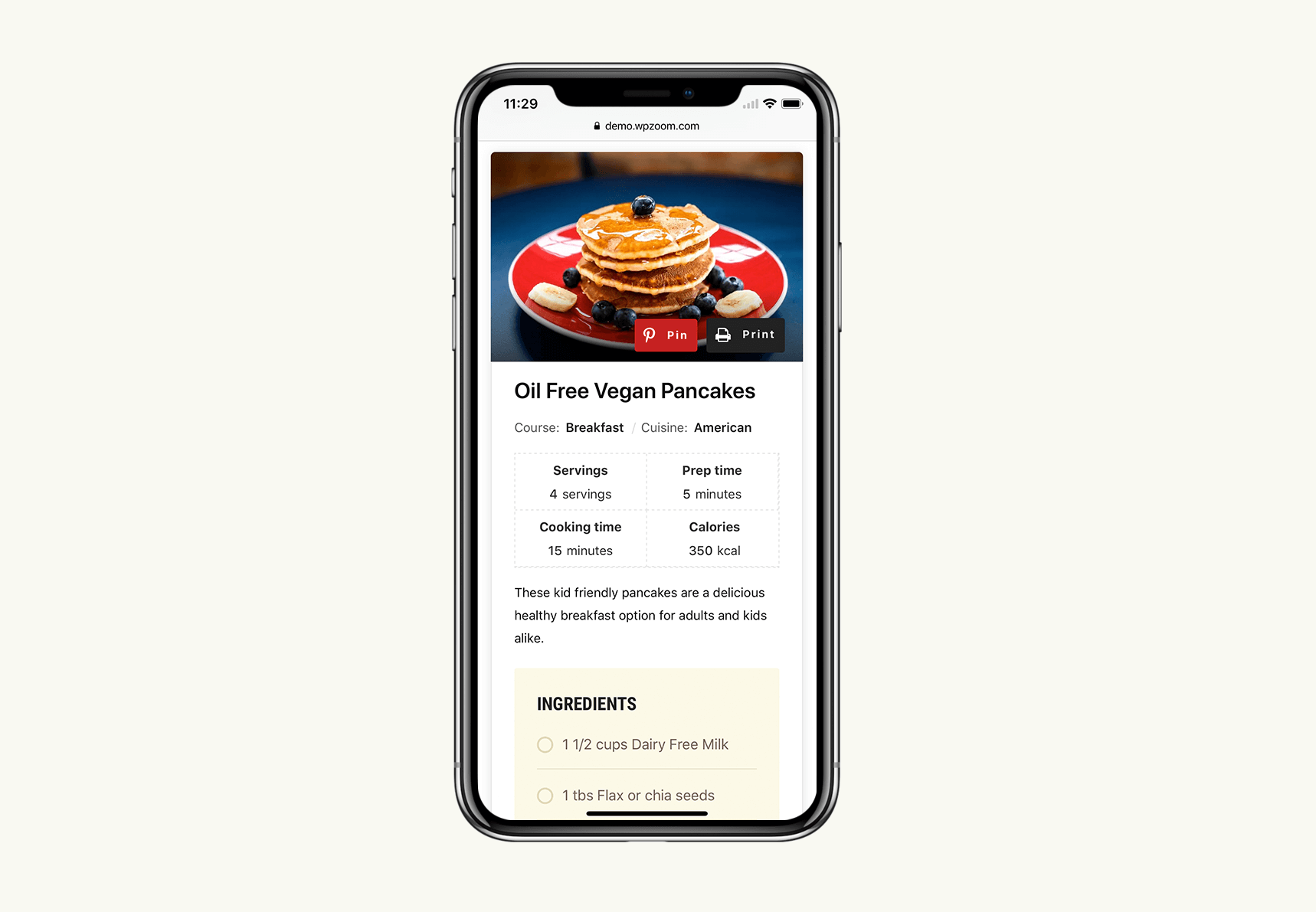
Mobile Design 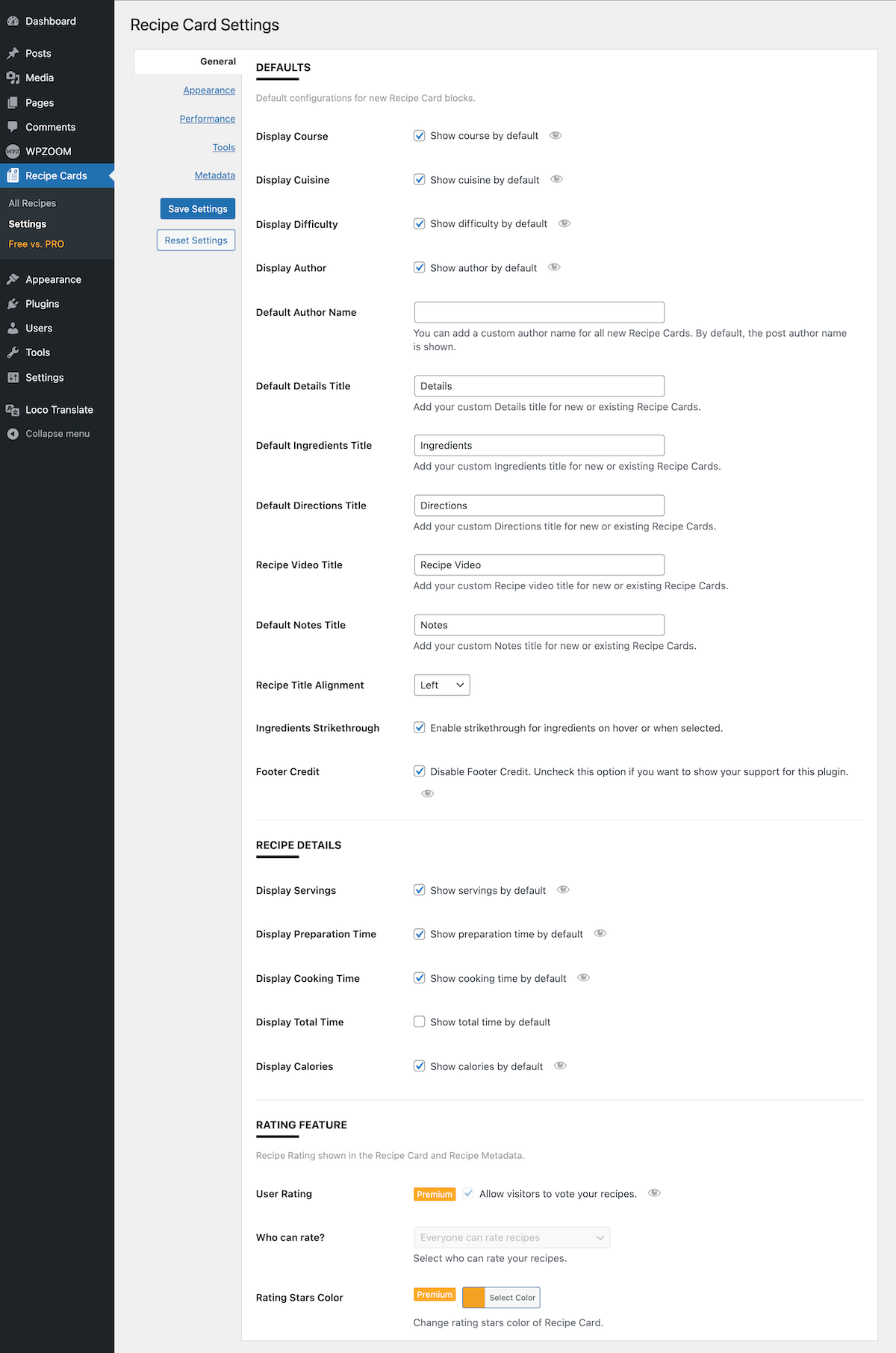
Settings page
Blocks
This plugin provides 8 blocks.
- Recipe Card Blocks for Gutenberg & Elementor - Best WordPress Recipe Plugin
- Recipe Card Blocks for Gutenberg & Elementor - Best WordPress Recipe Plugin
- Recipe Card Blocks for Gutenberg & Elementor - Best WordPress Recipe Plugin
- Recipe Card Blocks for Gutenberg & Elementor - Best WordPress Recipe Plugin
- Recipe Card Blocks for Gutenberg & Elementor - Best WordPress Recipe Plugin
- Recipe Card Blocks for Gutenberg & Elementor - Best WordPress Recipe Plugin
- Recipe Card Blocks for Gutenberg & Elementor - Best WordPress Recipe Plugin
- Recipe Card Blocks for Gutenberg & Elementor - Best WordPress Recipe Plugin
Asennus
Simply search for the plugin name ”Recipe Card Blocks” via the Plugins -> Add New page in the Dashboard of your WordPress website and click the install button. Once installed, click on the blue Activate button.
After installation, create a new post or edit an existing one using the block editor (Gutenberg), and when adding a new block, look under Recipe Card Blocks section to find the ”Recipe Card” block.
UKK
-
I just installed the plugin and can’t find the blocks
-
Make sure you haven’t disabled the new block editor using the Classic Editor plugin, as these blocks work only with the new editor.
-
Is there Documentation available?
-
Yes, you can find documentation for this plugin with more instructions on our website.
-
Is it possible to migrate recipes from another plugin?
-
The PRO version includes an intuitive and easy-to-use tool that allows you to import recipes created using other plugins.
Arvostelut


Avustajat & Kehittäjät
“Recipe Card Blocks for Gutenberg & Elementor – Best WordPress Recipe Plugin” perustuu avoimeen lähdekoodiin. Seuraavat henkilöt ovat osallistuneet tämän lisäosan kehittämiseen.
Avustajat
“Recipe Card Blocks for Gutenberg & Elementor – Best WordPress Recipe Plugin” has been translated into 3 locales. Kiitoksia kääntäjille heidän työstään.
Oletko kiinnostunut kehitystyöstä?
Browse the code, check out the SVN repository, or subscribe to the development log by RSS.
Muutosloki
3.2.16
- Multiple fixes in the Elementor widget
3.2.15
- Bug fix with the Total Time value
3.2.14
- Fix bug with Notes in the editor
- Added support for the Tasty Links plugin
3.2.13
- Fixed a PHP warning
3.2.12
- Fixed a bug with the Bulk Add button
3.2.11
- Fixed a bug with custom details
- Added support for Cyrillic characters in the Bulk Add feature
3.2.10
- Fixed compatibility with WordPress 6.4.1
- Multiple bug fixes
3.2.9
- Fixed a bug with the Print view
3.2.8
- Fixed and issue with the Print Button
3.2.7
- Fixed a PHP warning
3.2.6
- Bug fix in Safari
3.2.5
- Fixed compatibility with WordPress 6.3 and Gutenberg
- Performance improvements
3.2.4
- Add support for TikTok videos
3.2.3
- Fixed issue with title attribute for directions images
- Show zero values in nutrition list
3.2.2
- Minor bug fix in the Insert Existing Recipe block in WordPress 6.2
3.2.1
- Fixed a bug with cyrillic characters
- Improvements to the buttons at the top
3.2.0
- Numerous optimizations for better performance (removed unused icon fonts to save ~3MB)
- Removed the Roboto Condensed font from Google Fonts to make the plugin 100% GDPR compliant
- Small visual improvements to the design of the recipe block
3.1.9
- Bug fix with Schema.org markup
- Fixed an issue with Sticky posts
3.1.8
- Added a new option to disable the loading of the Pinterest script (Settings > Performance)
- Minor bug fixes
3.1.7
- Fixed a conflict with the RankMath plugin
3.1.6
- Adjustments to the access provided to the Recipes section for different User Roles. Contributors, Authors and Editors will have access to create new Recipes posts.
3.1.5
- Fixed issue with the print button when inserting an existing Recipe in a post
- Fixed issue with the post title in Recipe post type
3.1.4
- UI improvements to the Settings page
3.1.3
- Fixed issue with deprecated functions in Elementor
- Fixed a bug with Elementor activation
3.1.2
- Fixed a bug with recipe title
- Add link to edit the recipe block post
3.1.1
- Multiple bug fixes and improvements
- New option: Expand/Collapse block sections in the editor (Settings > General > Editing)
- Minor UI improvements
- Added icons to block sections in the editor
3.1.0
- Recipe Shortcode – insert a recipe anywhere you want using the new shortcodes.
- Add option to unlink a recipe from its parent
- Multiple bug fixes and improvements
3.0.3
- Fixed a bug with links in Notes and Description
3.0.2
- Fixed a bug with Notes not showing in the block editor
- Added Styling option in the ”Insert Existing Recipe” widget in Elementor
3.0.1
- Bug fix with the visibility of Recipe posts
3.0.0
- You can now view all your recipes created using Recipe Card Blocks on the All Recipes page. Managing your recipes or adding new ones has become much easier!
- Added a new tool to collect all recipes from all posts and organize them in the new Recipes section
- New block: Insert Existing Recipe – new block to insert a full recipe card quickly anywhere you want (in pages, posts, or Elementor)
2.9.1
- Minor bug fix in the Elementor widget
- Updating links to the new website: https://recipecard.io
2.9.0
- Added support for WPML’s Advanced Translation Editor (wpml-config.xml file)
- Elementor Widget now includes 3 Recipe Card Styles.
- Added Ingredients and Directions groups in Elementor widget
- Multiple bug fixes and improvements
2.8.8
- Change textdomain to match with plugin slug
2.8.7
- Bug fix with video not showing in the recipe block
2.8.6
- Minor bug fix
2.8.5
- Fixing video not displayed in recipe card block
2.8.4
- Fixing compatibility issues with PHP 7.0 (old version)
2.8.3
- Fixing escaping issues
2.8.2
- Fixing escaping issues
2.8.1
- Fixing escaping issues
2.8.0
- Recipe Card Block is now available in Elementor!
2.7.14
- Fixed 404 error on print
- Fixed issues after update to WP 5.8
2.7.13
- Fixed the issue with icons not loading on the Recipe Card front-end. Reset global post variable after reusable blocks query loop.
2.7.12
- Fix error 404 when print reusable Recipe Card Block
- Fix Recipe Card Block print error in Elementor
- Remove two columns display for ingredients in print sheet
2.7.11
- Fix to display footer credit on print page only if ”Disable Footer Credit” option is unchecked
2.7.10
- Fixed Recipe Card block margins
2.7.9
- Fixed issue with recipe Rich Snippets json escaping as \uXXXX unicode characters
2.7.8
- Add script to make video embeds responsive so they don’t overflow recipe card container
2.7.7
- Fixed a bug with buttons appearing in Elementor pages
2.7.6
- Fixed issue with Jump and Print buttons showing on pages where recipe block is not included
2.7.5
- Added compatibility with Elementor. View how to do this here – https://www.wpzoom.com/documentation/recipe-card-blocks/how-to-add-recipe-card-blocks-in-elementor/
2.7.4
- Fixed issue with disallowed attribute
classnamepresent in HTML tag
2.7.3
- Added option in Recipe Card -> Performance to load assets when needed (only on single pages or on all pages)
- Plugin Credit in the footer is now optional and can be enabled or disabled from Recipe Card -> General. You can enable it if you want to show your support for the plugin.
- Removed unneeded attributes ”icon-name” & ”iconset” from HTML markup to prevent AMP errors
2.7.2
- Fixed issue with Recipe Card block which doesn’t display on front-end after Gutenberg update
2.7.1
- Minor bug fix in the Directions block
2.7.0
- Added AMP support
- Added Block Alignment
- When changing block alignment, the Header content alignment is changed too
- For Simple Design added option to change Header alignment and now you can set image to left or right depend on Block alignment or Header content alignment
2.6.4
- Fixed issue with Jump to Recipe and Print Recipe that are showing up on homepage as part of the excerpt
- Fixed error: ”$this” can no longer be used in a plain function or method
2.6.3
- Added support for the new ”Guided Recipes” in Structured Data
- Printing functionality was re-written and works differently now. This ensures printing will work from all devices and browsers without any problems
- Added option in Settings for Ingredients Strikethrough
- Fixed issue with blocks not showing in archive pages and RSS feeds
2.6.2
- Fixed issue with conversion of minutes to Schema.org duration format
- Fixed issue with Additional CSS Class for blocks
2.6.1
- Added Toggle option to set Resting Time field in custom details
2.6.0
- Changed step image size from 500px to 750px
- Fixed issue when display detail is off and it appear on rich snippets
- Fixed issue that causes to display wrong data (default value) for details in Recipe Card on Front-End
- Fixed issue to convert total time minutes to hours
- Fixed issue when click Calculate Total Time and value is not null
- Fixed issue with ingredients & steps value when open Bulk Add modal
- Multiple fixes and improvements to Block Settings
- Added button Calculate Total Time in Block Settings
- Added Resting Time value to Calculate Total Time
- Added className ”text-color-green” for details that have value and are displayed in Structured Data Testing Tool
- Added state preloader to Recipe Card on events (fetchCategories, calculateTotalTime, setFeaturedImage, UploadVideo)
- Added fetchTags for keywords
2.5.0
- Multiple fixes and improvements
2.4.0
- 🔥 Added Nutrition Block with two Layouts (Vertical / Horizontal)
- Added possibility to edit details labels from Block Settings, and also edit unit for Servings
- Added possibility to add additional custom details from Block Settings
- Numerous changes and improvements
- Fixed issue to not include video attribute in Schema Markup if it’s not added to the block
2.3.0
- Added Video Recipe feature in the block
- Numerous changes and improvements; new admin menu
- Fixed a conflict with Tasty Pins plugin
2.2.0
- New Block Style: Simple Design
- Added new images sizes for header image in the block
- New: multiple images per direction. You can now add more than just 1 image in each step from Directions.
- Fixed issues after update to Gutenberg 5.9
2.1.0
- New Feature: Ingredients and Directions Groups: you can now organize in sub-sections ingredients and directions
- New Feature: Bulk Add. You can add ingredients and directions by inserting more entries at once.
- New Image Size for recipe card header: ”Recipe Card Block”. It’s helpful if your images are potrait, and this image size will crop them to take less space vertically.
- Multiple bug fixes and improvements
2.0.4
- Fixed a bug with adding links in the Ingredients and Directions
2.0.3
- Fixed a bug with translation strings
2.0.2
- Fixed a problem with Recipe Card details not hiding when disabling them.
- Ingredients and Directions blocks can now be inserted multiple times in a post. There is no longer a limit of one of these blocks per post.
2.0.1
- Fixing error 500 after update to version 2.0 on servers running on PHP 5.6 or lower.
2.0.0
- MAJOR UPDATE
- New Block with Schema Markup: ”Recipe Card Block (schema.org)”
- Now you can use a single block to create a recipe card. You don’t have to add anymore blocks like Ingredients or Directions separately.
- JSON-LD Schema Markup
- 2 Styles
- New Settings Page (Settings > WPZOOM Recipe Card)
- You can now add Images in the Directions
1.0.1
- Minor bug fix in WordPress 5.0
1.0
- Initial release.