

Kuvaus
Leo Product Recommendations is a WooCommerce upsell and cross-sell plugin for store owners who want to show relevant products at the moment customers are most ready to buy. After a shopper adds a product to the cart, a responsive recommendation popup can present compatible accessories, complementary products, or a higher-value alternative without taking the shopper away from the current page.
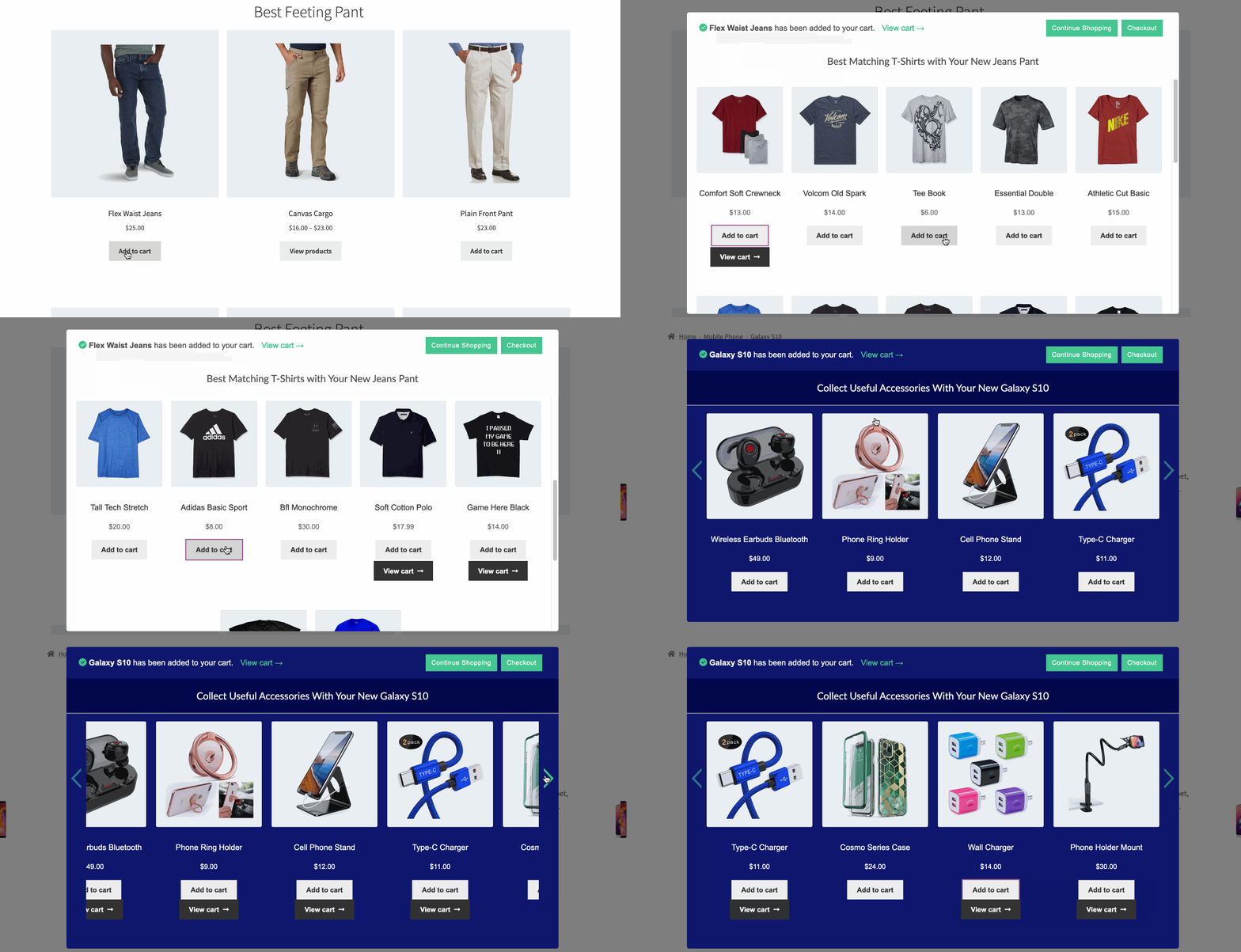
It is useful for online stores selling electronics, fashion, beauty products, food, software, and other product types where customers may need an accessory, matching item, replacement, or upgrade. For example, suggest a phone case and screen protector after a smartphone is added to the cart, or show a matching T-shirt after a customer chooses jeans.
How It Works
- Choose the products or rules that should trigger a recommendation.
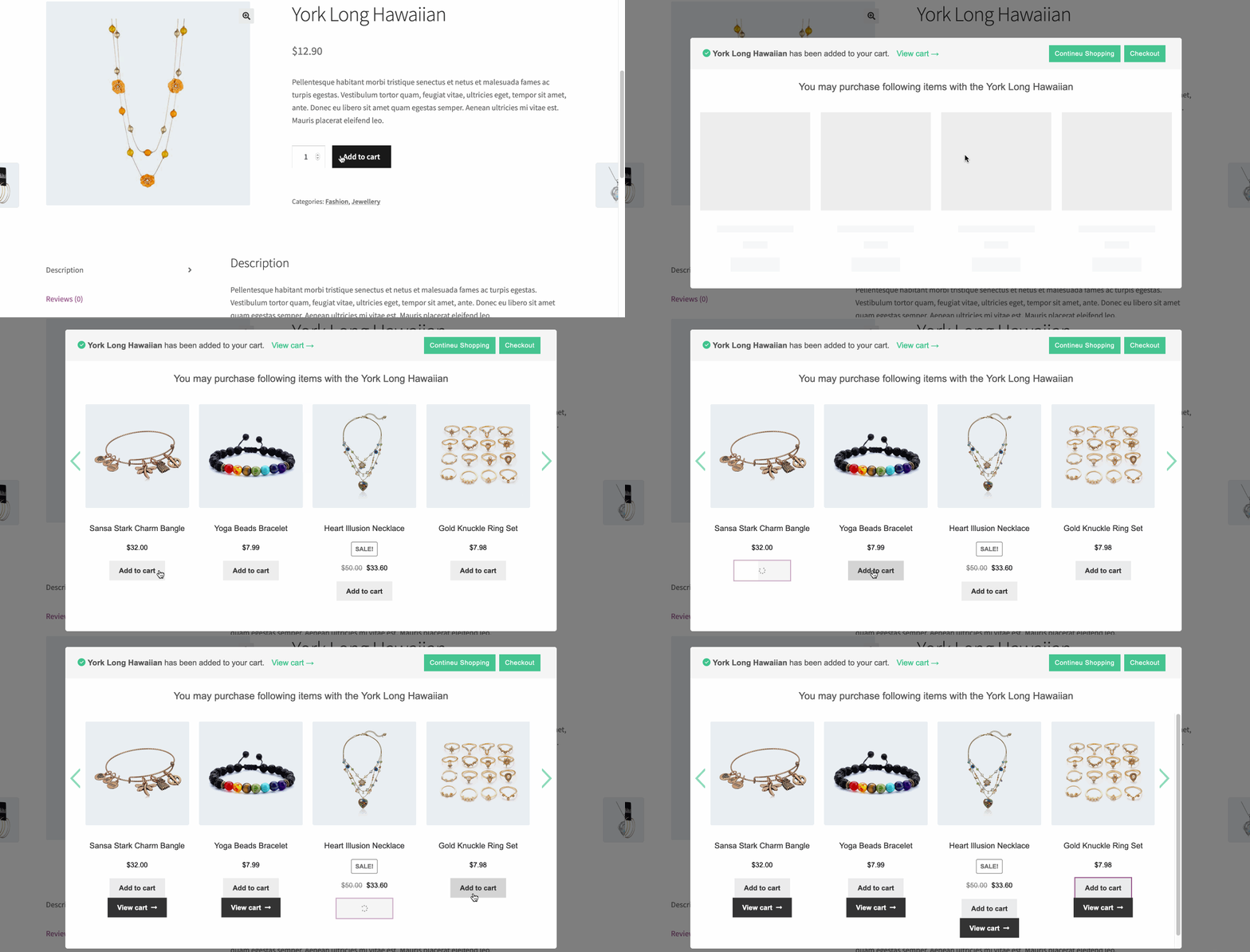
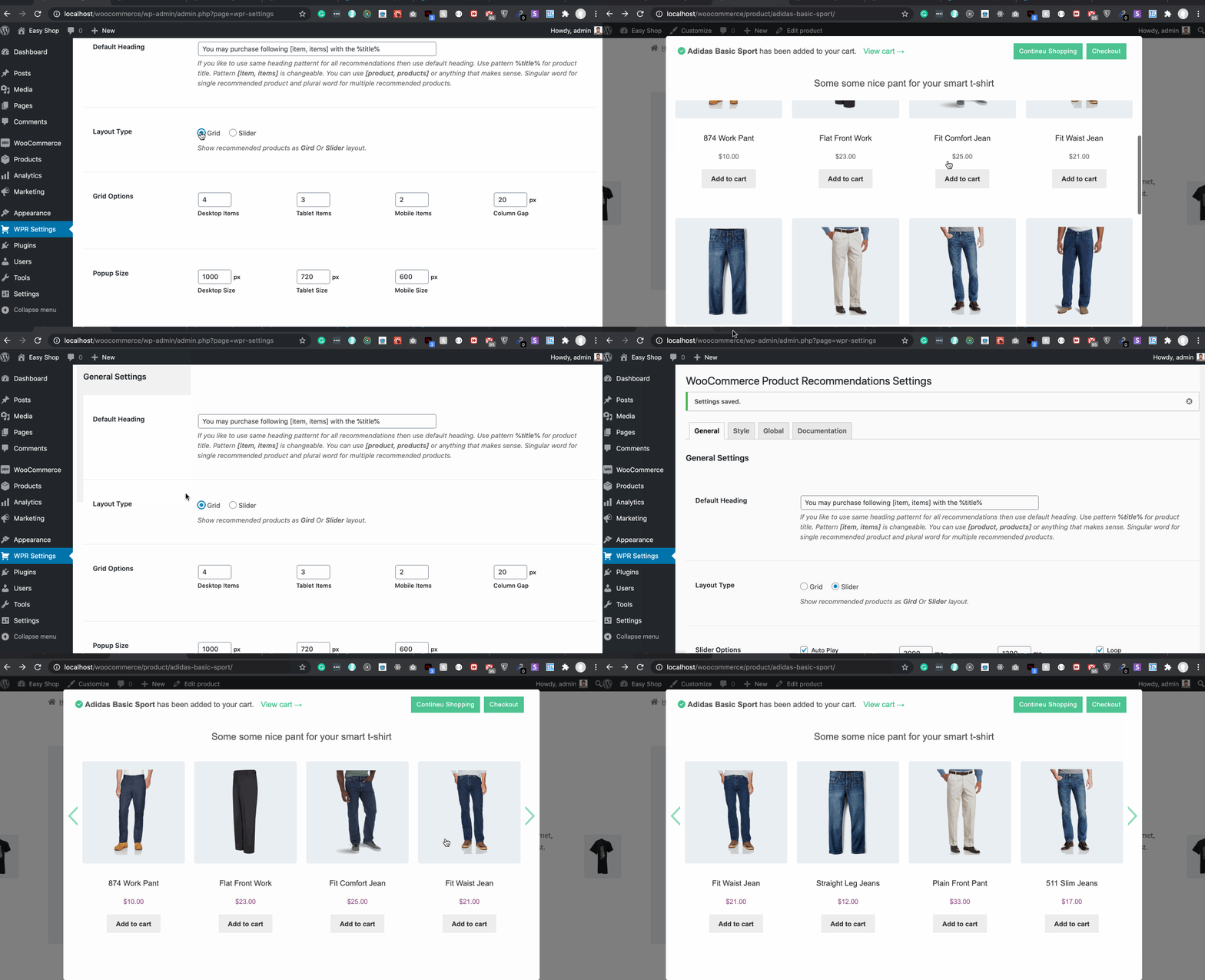
- Display the offer in a customizable popup after the customer adds an item to the cart.
- Let the customer add the recommended product with AJAX and continue shopping or check out.
Build Your Recommendation Strategy
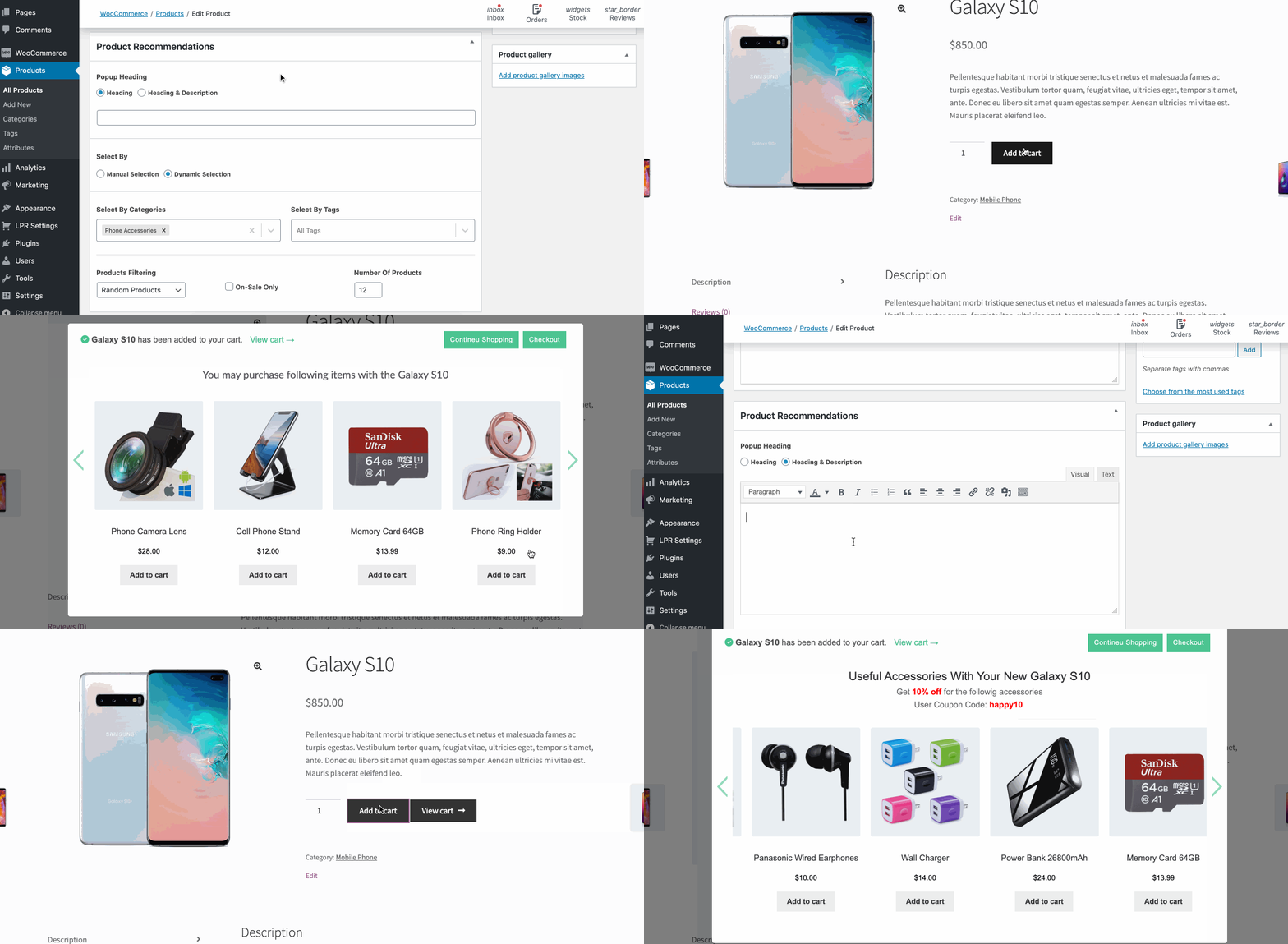
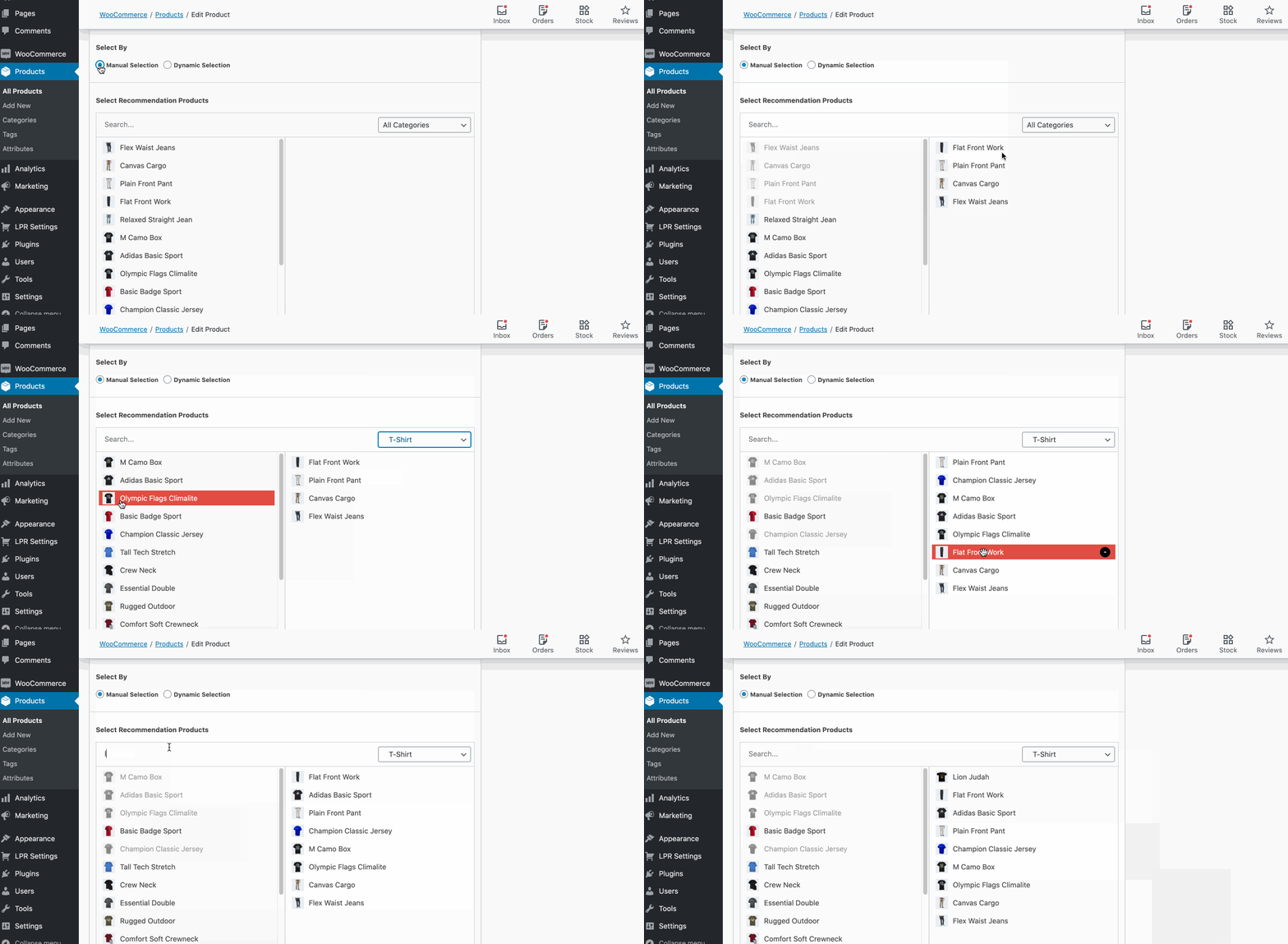
Use manual selection when you want complete control over the products shown for a specific item. Use dynamic selection to recommend products by category, tag, upsell, cross-sell, best-selling products, top-rated products, sale items, product range, and other WooCommerce criteria. Global recommendations can provide a store-wide default, while product-level settings can be used for more precise offers.
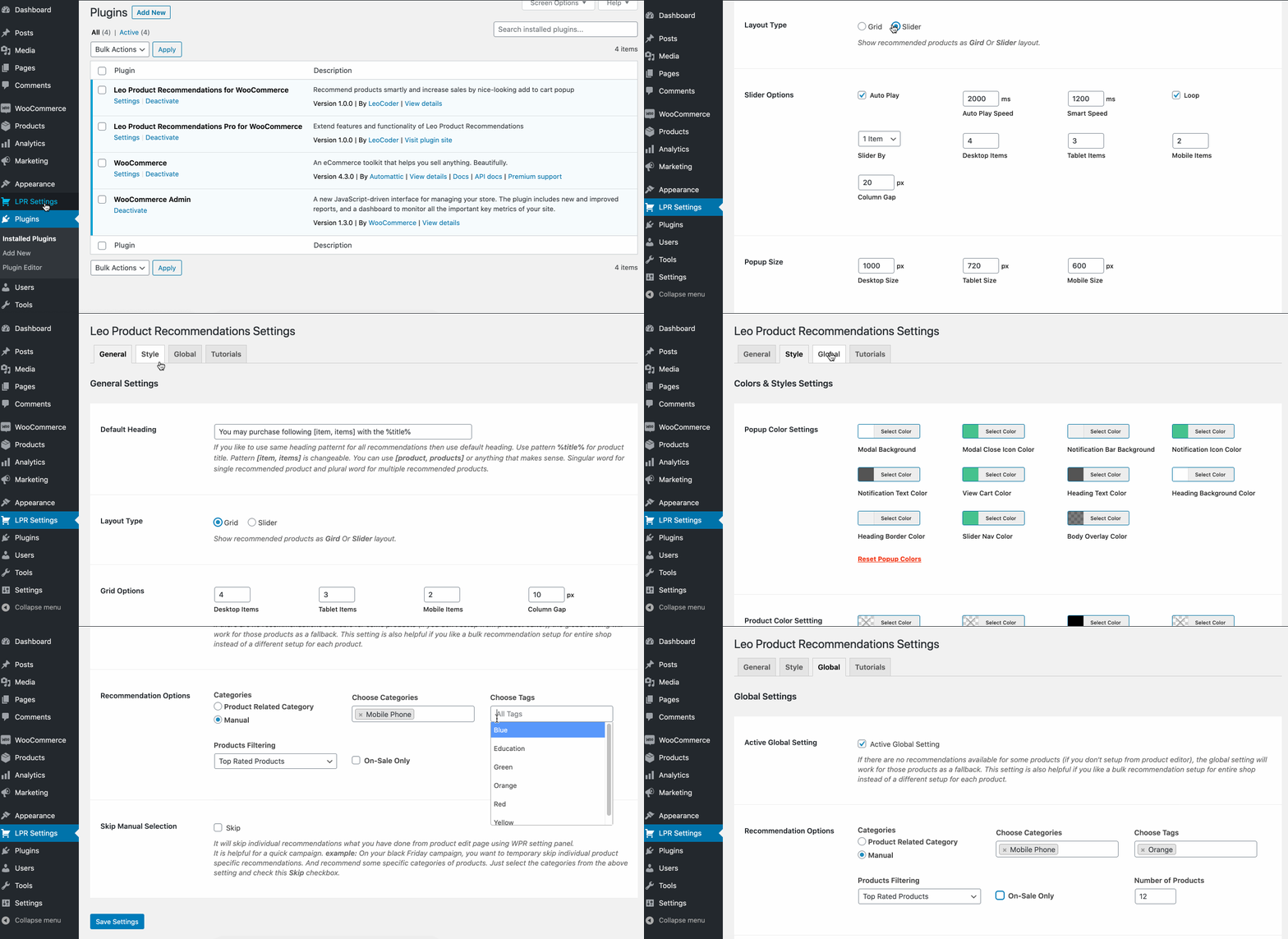
Customize the popup heading, description, product layout, colors, typography, background, and other styling options to match your store. Choose a product grid in the free version, with additional layout and styling options available in Pro.
Recommendations are loaded with AJAX so customers can review and add products with fewer page loads. This keeps the offer close to the original purchase and creates a faster shopping experience.
How to Set Up Leo Product Recommendations
Key Features
- Responsive WooCommerce product recommendation popup
- Related product, upsell, and cross-sell offers after add to cart
- Manual product selection for curated offers
- Dynamic selection by product data and WooCommerce rules
- Global recommendations with product-level control
- Customizable popup heading and description
- Product grid display settings
- AJAX add to cart
- Simple, variable, and grouped product support
- Single product and product archive page support
- Custom CSS options
- Template overrides through your theme
- Gutenberg blocks and page builder support, including Elementor, Divi, and WPBakery
- Quick checkout button
For Developers and Advanced Store Builds
Developers can override popup templates from a theme and use the plugin’s action and filter hooks to customize or extend the recommendation experience. The plugin is designed to work with popular WooCommerce themes and page builders, including Elementor, Divi, and WPBakery.
Pro Features
The Pro version adds more layout, targeting, visibility, and styling options for WooCommerce product recommendations.
- Slider Layouts
- Dynamic Selection
- Modal Color Settings
- Modal Sizes Settings
- Recommended Product Color Settings
- Items visibility and more
Demos
Explore product recommendation popup examples for different types of WooCommerce stores:
👉SMARTPHONE
👉ELECTRONICS
👉COMPUTER
👉SHOES
👉FOOD
👉CLOTHING
👉JEWELLERY
👉LEATHER
👉SOFTWARE
👉TOYS
👉FASHION
👉SPORTS
Kuvankaappaukset
Asennus
Minimum Requirements
- WordPress version 5.7 or greater is required
- WooCommerce version 7.0 or greater is required
- PHP version 7.4 or greater is required
Automatic Installation
- From the dashboard Navigate to Plugins > Add New
- Search Leo Product Recommendations for WooCommerce
- Click on the Install Now button
- When the installation is complete, click the Activate button to activate the plugin.
Manual Installation
Install From WordPress Dashboard:
- From the dashboard Navigate to Plugins > Add New
- Click on the Upload Plugin button at the top of the screen
- Select the zip file from your local filesystem
- Click on the Install Now button
- When the installation is complete, you’ll see “Plugin installed successfully.” Click on the Activate Plugin button at the bottom of the page.
Install Using FTP/SFTP:
If you are unable to install the plugin from your WordPress dashboard you can install the plugin by the following method using FTP / SFTP
- Unzip the plugin file
- Connect to your WordPress server with your FTP / SFTP client (Fileziall, Cyberduck, etc)
- Copy the plugin folder to the wp-content/plugins folder in your WordPress directory. This installs the plugin to your WordPress site.
- Navigate to your Plugins admin screen from the WordPress dashboard and locate the newly uploaded Plugin in the list.
- Click the plugin’s Activate link.
Note: After activating the plugin it will automatically enable “Enable AJAX add to cart buttons on archives” setting and disable “Redirect to the cart page after successful addition” setting. It is a required setting to work the plugin properly.
UKK
-
How to translate it to another language
-
The plugin is completely translation-ready for any language. You need to use the Loco Translate plugin.
More Details Documentation » -
Does it work for product archive single and product single page?
-
Yes, it works perfectly for a single product page and product archive page.
-
Does it work with WooCommerce Products shortcode and Gutenberg Products Blocks?
-
Yes, It works for WooCommerce Products shortcode and all Gutenberg Products Blocks.
-
Does it work with DIVI (WooCommerce Builder), Elementor, and WPBakery builder?
-
Yes, This plugin is compatible with DIVI, WooCommerce Builder for DIVI, Elementor, and WPBakery page builder.
-
Besides Simple Product does it work for Variable Product & Grouped Product?
-
Yes, It works on all types of products including Simple products, Variable products & Grouped Product
-
Does it work with a quick view?
-
Yes, it works with quick view of all major quick view plugins. If it does not work for your quick view option please contact support quickly to fix it.
-
How to override popup templates via a theme?
-
All template files are available in the templates folder inside plugin files.
In the templates files, filter and action hooks are available that allow you to add/edit popup templates.You also can overwrite template files with your theme. Create a directory as
/lpr/templates/and copy the template file inside the directory.
Example: Tooverwrite template-modal.phpfile by your theme then the file structure should bewp-content/themes/yourtheme/lpr/templates/template-modal.phpNote: You need some development knowledge to overwrite template files or it may cause an error.
Arvostelut


Avustajat & Kehittäjät
“Leo Product Recommendations for WooCommerce” perustuu avoimeen lähdekoodiin. Seuraavat henkilöt ovat osallistuneet tämän lisäosan kehittämiseen.
Avustajat


Käännä “Leo Product Recommendations for WooCommerce” omalle kielellesi.
Oletko kiinnostunut kehitystyöstä?
Browse the code, check out the SVN repository, or subscribe to the development log by RSS.
Muutosloki
3.2.0
- Updated compatibility metadata for WordPress 7.1 and WooCommerce 11.1.1.
3.0.0
- Fix plugin compatibility issue
2.8.0
- Compatible with HPOS
2.7.0
- Bug Fix
2.6.4
- Bug Fix: Fix for Be theme
2.6.3
- Bug Fix: Fix for Blocksy theme
2.6.2
- Bug Fix: Fix when product data null
2.6.1
- Bug Fix: Fix when product data null
2.6.0
- Bug Fix: Bug for for pro version for popup limit.
2.5.0
- Feature Added: Limit to show recommendation popup (Every time, 1, 2, 3, 5 times)
2.4.0
- Feature Added: Modeal close icon
2.3.1
- Bug fix
2.3.0
- Exclude private, hidden, out-of-stock products from recommendation
- Template fix for Rey theme
2.2.0
- Fixing for OceanWP
2.0.2
- Bug fix
2.0.1
- Bug fix
2.0
- Removed preloader from the popup
- Moved selection panel to WooCommerce data table as Recommendations tab
- Improved performance
- Bug Fixed
1.9.0
- Bug fix
1.9.0
- Update recommendation modal & added new features.
1.8.9
- Bug fixed for product_page shortcode
1.8.8
- Feature improvement & bug fixed
1.8.6
- Bug fix for WooCommerce Custom Product Addons
1.8.4
- Fixed theme compatibility
1.8.3
- Fixed modal appearing issue for variable product
1.8.2
- Fixed theme compatibility
1.8.0
- Added animation is added to cart and recommendations heading
1.7.0
- Improved plugin documentation
1.6.1
- Fix for Safari theme quick view
1.6.0
- Optimized coding & performance
- Added deactivation feedback
1.5.3
- Improved performance.
- Improved theme compatibility.
1.5.1
- Bug Fixed
1.5
- Added Add To Cart flash notification.
- Improved theme compatibility.
1.4
- Add option to ajax add to cart for Variable & Group recommend products. Customers don’t need to go to a single product page to add to a cart variable/group.
1.3.2
- Bug Fix
1.3.1
- Add editor field for default heading
1.2
- Update compatibility
1.1
- Update Features
1.0
- Initial release