
Kuvaus
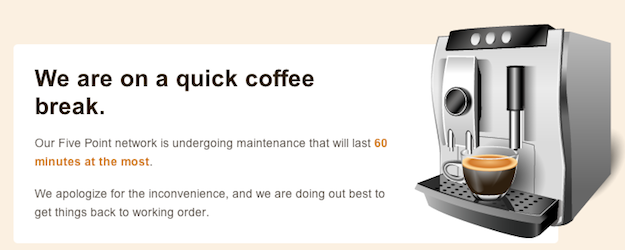
Plugin allows a super admin to put his/her entire network, main site, or subsites into maintenance mode.
Kuvankaappaukset
Asennus
- Extract wpms-site-maintenance.zip to the /wp-content/plugins/ directory.
- Visit Network Admin > Plugins and activate the plugin Network wide.
- Visit Network Admin > Settings > WPMS Sitedown and choose the site operational option and edit the maintenance message to your liking.
Arvostelut
There are no reviews for this plugin.
Avustajat & Kehittäjät
“WPMS Site Maintenance Mode” perustuu avoimeen lähdekoodiin. Seuraavat henkilöt ovat osallistuneet tämän lisäosan kehittämiseen.
Avustajat
Käännä “WPMS Site Maintenance Mode” omalle kielellesi.
Oletko kiinnostunut kehitystyöstä?
Browse the code, check out the SVN repository, or subscribe to the development log by RSS.
Muutosloki
1.0.3 (2012-08-27)
- Updated installation instructions since the admin url has been relocated
1.0.2 (2012-08-27)
- Fixed some admin url issues
1.0.1 (2012-08-27)
- Fixed WP_PLUGIN_URL
1.0 (2011-10-31)
- Initial Release