

Kuvaus
WP Tool works on the basis of your IP, Locations (Latitude and Longitude). It uses services provided by third party Geoplugin (http://www.geoplugin.com/introduction)
Features in WP Tool include:
- Check information about any domain.
- Convert any currency into other different currency.
- Find distance between any two places.
- Get weather forecasting of places.
- Find near by places to you.
Kuvankaappaukset


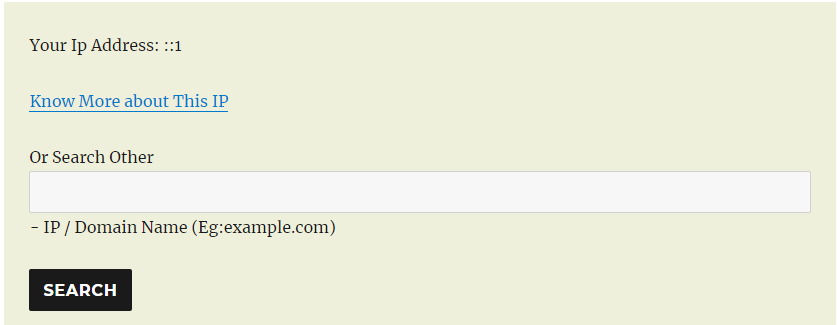


Asennus
*Upload the WP Tool plugin to your site backend by clicking ’Add New’ option under Plugins and then search, install and Activate it. *You can do this manually by downloading from wordpress site and unzipping in your plugin directory and then activate it from your dashboard where all plugins are listing. *You could find all shortecode under ’WP Tool Setting’ menu.
UKK
- Installation Instructions
-
*Upload the WP Tool plugin to your site backend by clicking ’Add New’ option under Plugins and then search, install and Activate it.
*You can do this manually by downloading from wordpress site and unzipping in your plugin directory and then activate it from your dashboard where all plugins are listing.
*You could find all shortecode under ’WP Tool Setting’ menu. - How to use features of WP Tool?
-
You can use each feature of WP Tool by their respective shortcode.
- Does shortcode work in post and page?
-
Yes, you can use in both post or page.
- How does plugin work?
-
It work on the basis of services provided by Geoplugin(http://www.geoplugin.com/introduction). Geoplugin work on the basis of IP request and location (Latitude and Longitude).
Arvostelut

Avustajat & Kehittäjät
“WP Tool” perustuu avoimeen lähdekoodiin. Seuraavat henkilöt ovat osallistuneet tämän lisäosan kehittämiseen.
Avustajat
Käännä “WP Tool” omalle kielellesi.
Oletko kiinnostunut kehitystyöstä?
Browse the code, check out the SVN repository, or subscribe to the development log by RSS.