
Kuvaus
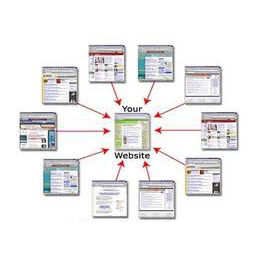
- This plugin will add a SiteLink menu
- Create a form for add new
- Have a table all current links with action delete
- This plugin include a Widget for display sitelink referral in sidebar.
For VietNamese version (Mô tả bằng Tiếng Việt): http://www.cadot.vn/cadot-sitelink-plugin/
Kuvankaappaukset


Asennus
This section describes how to install the plugin and get it working. This plugin install very simple, as same as all other plugin.
- Upload the plugin files to the
/wp-content/plugins/directory, or install the plugin through the WordPress plugins screen directly. - Activate the plugin through the ’Plugins’ screen in WordPress Admin
UKK
- How to add a new link referral?
-
Please use Cadot siteLink menu, you will se the form at the top page. You enter the name of link and link address. The new link will insert to database and display in the widget.
- How about Horizontal line in widget?
-
if you want to use horizontal line for separate link in widget, please select ”Yes”. If you selected ”No”, the widget will not have horizontal line.
Arvostelut
There are no reviews for this plugin.
Avustajat & Kehittäjät
“Cadot Site Link” perustuu avoimeen lähdekoodiin. Seuraavat henkilöt ovat osallistuneet tämän lisäosan kehittämiseen.
Avustajat
Käännä “Cadot Site Link” omalle kielellesi.
Oletko kiinnostunut kehitystyöstä?
Browse the code, check out the SVN repository, or subscribe to the development log by RSS.
Muutosloki
1.0
- The first version of Cadot sitelink.
1.1
- Added target attribute, you can select target is _blank or _self for each link you add.