

Kuvaus
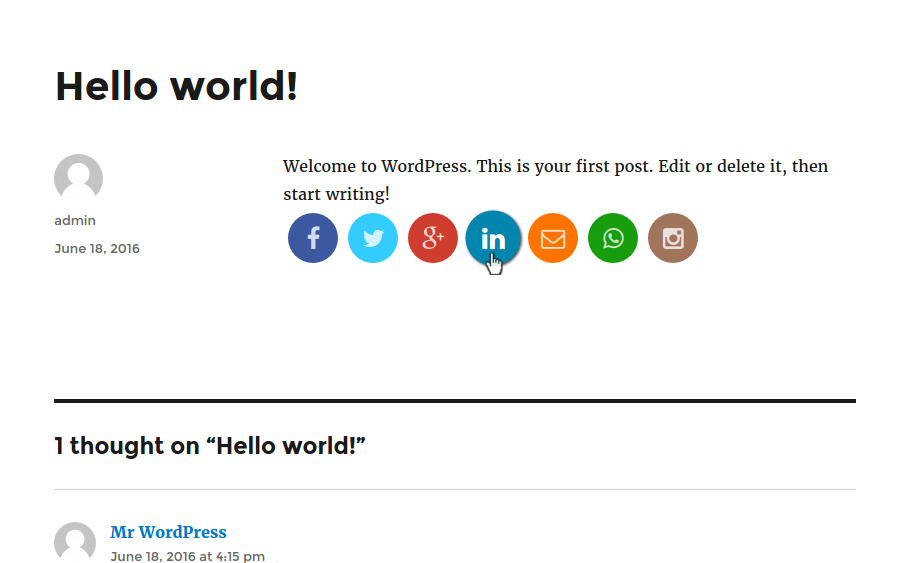
Using VIT social plugin you can customize share buttons each post or page wise.
You have options to choose buttons and their order of display on each individual post or page.
Also you can customize shape, size, effects of buttons from settings panel.
You may want some pages with share buttons and don\’t want on specific pages.
Or you may want to display facebook share button first on a post while twitter first on other.
If so then this plugin is for you.
From setting page (Settings -> VIT Social) you can change appearance and share contents of buttons.
Keep shape of button either flat, rounded or circle. Also you can enable/disable zoom and rotate effect of buttons.
This plugin provides you with following 6 social networks with ease:
- Google Plus
- Instagram(link)
Kuvankaappaukset


Asennus
Installation of Social Media
- Upload \’VIT Social\’ to the \’/wp-content/plugins/\’ directory
- Activate the plugin through the \’Plugins\’ menu in WordPress
- Enjoy!
UKK
- What is VIT Social for?
-
- Custom share buttons which can be configured post wise i.e. for individual post or page.
- Do I need to have any programming knowledge?
-
- No, I guess you need admin credentials only 😉
- Why Instagram button is link to profile but not the share button?
-
- You cannot share media on Instagram using the API. See the docs
- Can I modify plugin?
-
- Of course you can and your contributions are always welcome here to git.


Avustajat & Kehittäjät
“VIT Social” perustuu avoimeen lähdekoodiin. Seuraavat henkilöt ovat osallistuneet tämän lisäosan kehittämiseen.
Avustajat
Käännä “VIT Social” omalle kielellesi.
Oletko kiinnostunut kehitystyöstä?
Browse the code, check out the SVN repository, or subscribe to the development log by RSS.
Muutosloki
1.0.0
- Initial commit.