
Kuvaus
Run your whole shop from your WordPress site.
WP EasyCart adds a complete store to the WordPress site you already have. Products, checkout, orders, shipping, tax and reports are built in, not bolted on, so there is no stack of add-ons to buy and keep in step. Start free with unlimited products and orders, and move up to Pro when your store needs more.
It suits online shops that ship, restaurants, cafés and bakeries taking pickup orders, wholesalers billing trade customers, and makers and local producers who sell several ways at once.
Sell and get paid
- Unlimited products and orders, with options, variations and stock tracking.
- Stripe, Square and PayPal checkout, including Apple Pay and Google Pay.
- Checkout protection, on by default, that stops bots from testing stolen cards at your checkout.
- Catalog mode to show products without selling them.
Ship, fulfill and tax
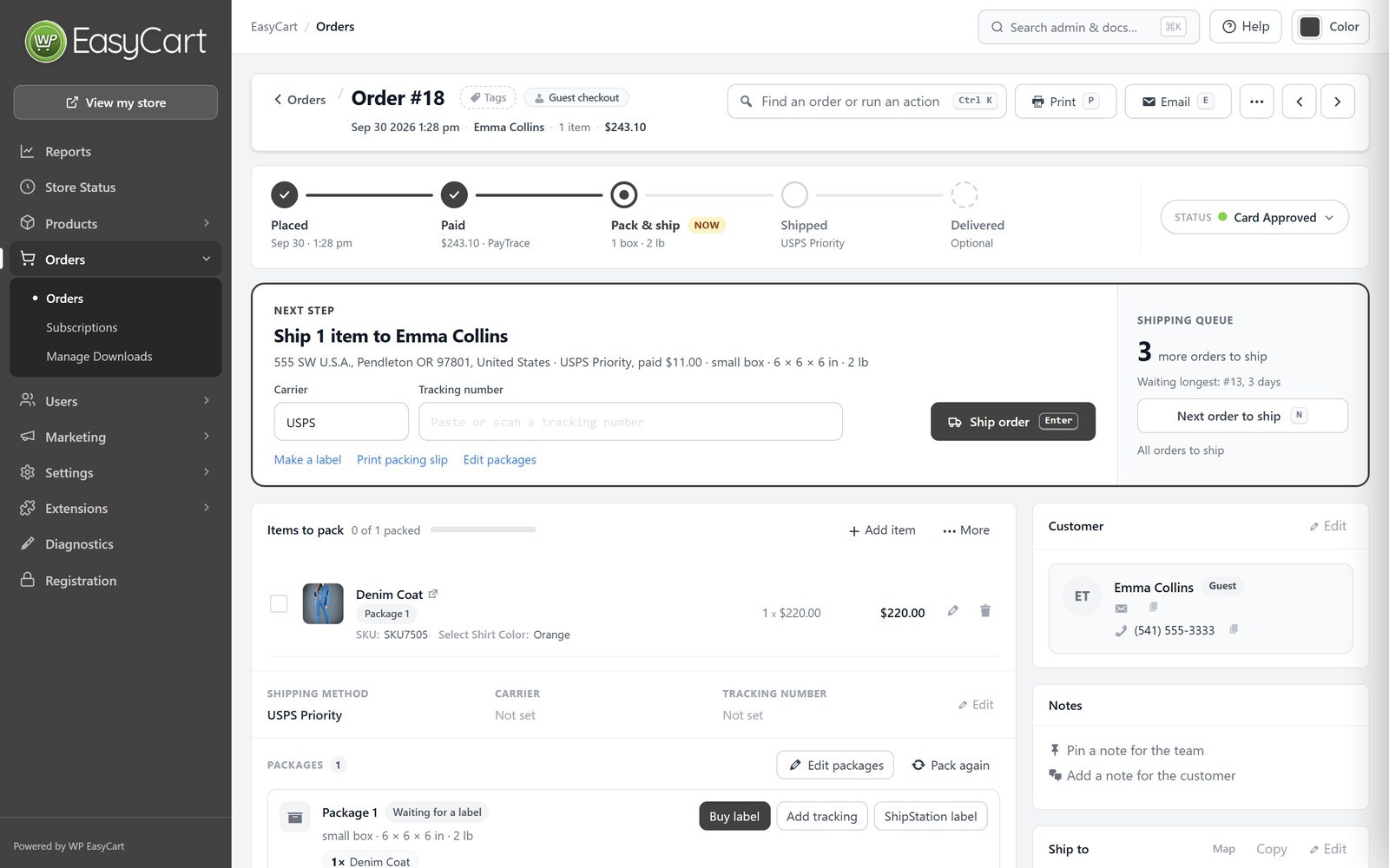
- An order screen built for speed: see where each order stands, tick items off as you pack, and ship in one step with tracking and an email to the customer.
- Save the boxes you ship in and have new orders packed into them automatically.
- Shipping rates by price, weight, quantity or percentage, and tracking for every package through to delivery.
- Tax rates by country, state and province, and VAT with VAT number checks.
Grow your store
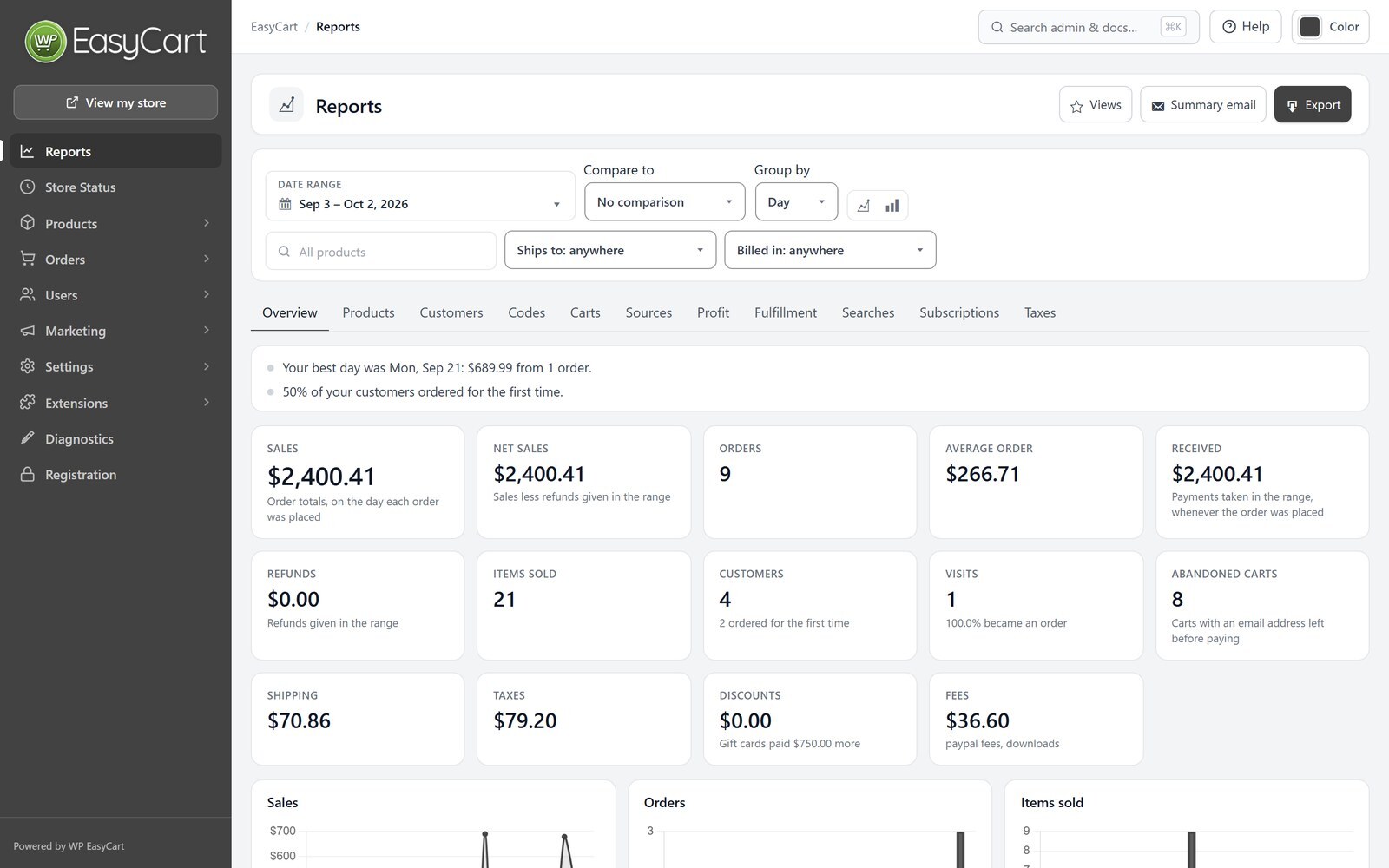
- Reports with your sales, orders and taxes, and a weekly summary email.
- See where each order came from, including AI assistants such as ChatGPT, Perplexity, Gemini and Copilot.
- Product pages that tell Google, Bing and AI assistants your prices, stock, reviews, return policy and shipping.
- Meta Pixel and Google Analytics, with support for your cookie banner.
- Customer reviews with review request emails.
Design it your way
- Works with any theme, with store, cart and account pages created for you.
- Elementor widgets and templates for product, category, shop, cart, checkout and account pages, plus blocks and shortcodes.
- Change any wording your store shows, in any language.
Privacy built in
- Works with Complianz, CookieYes, Cookiebot, the WP Consent API and Google Consent Mode.
- Customers are included in WordPress’s personal data export and erase tools.
- Card details are entered in your payment provider’s own secure fields.
Pro: everything in Free, plus
- No WP EasyCart fee on your sales, and 30+ more payment gateways.
- One-page checkout, your own checkout questions, and gift orders.
- Subscriptions, digital downloads and gift cards, including Square gift cards that work at your register too.
- Live shipping rates from UPS, FedEx, USPS, DHL, Canada Post and Australia Post, Royal Mail prices for UK shops, plus store schedules and pickup locations.
- Automatic sales tax from TaxCloud or TaxJar.
- Coupons, promotions and abandoned cart emails.
- Order editing and refunds, invoices and credit notes, payment terms, and orders you create for phone customers.
- Full reports on products, customers, profit, carts and more, a Google product feed, and MailerLite, Kit and ActiveCampaign sync.
- One-to-one support and 12 months of updates. Try Pro free for 14 days from WP EasyCart › Registration; no card needed.
Premium: everything in Pro, plus
- Store manager apps for iPhone, iPad, Android and desktop.
- Premium extensions, installed in one click: Facebook & Instagram, Shippo, ShipStation, Stamps.com, QuickBooks Desktop, Avalara AvaTax, AffiliateWP, Email Marketing for Mailchimp and Klaviyo, Zapier and more.
Helpful links
External services
WP EasyCart connects to these services only when you use the feature that needs them.
- WP EasyCart Connect ( connect.wpeasycart.com ) connects your Stripe, Square and PayPal accounts and passes their payment notifications to your store, installs WP EasyCart PRO when you start a trial or add a license, and, only if you choose to share anonymous usage data, receives a weekly summary of how the store is set up ( no customer or order details ); turning sharing off deletes what it kept. Privacy policy, terms.
- WP EasyCart demo data ( support.wpeasycart.com ) supplies sample products and images when you install demo data from the setup wizard.
- Stripe processes card and wallet payments when you connect Stripe. It receives the order total and the customer’s payment and billing details. Privacy policy, terms.
- Square processes payments when you connect Square. It receives the order total and the customer’s payment and billing details. Privacy policy, terms.
- PayPal processes payments when you connect PayPal. It receives the order and the customer’s details needed for payment. Privacy policy, terms.
- Google reCAPTCHA and Cloudflare Turnstile check that a shopper is a person, only when you turn them on. Google privacy policy, Cloudflare privacy policy.
- Google Analytics and the Meta Pixel receive store events, such as product views and purchases, only when you add their IDs, and only after the shopper consents when your store asks for consent. Google privacy policy, Meta privacy policy.
- Vatlayer receives the VAT number a customer enters, when you turn on VAT number checks. TaxCloud receives the order’s address and items when you turn it on with WP EasyCart PRO.
- Amazon S3 serves download files you choose to store there.
Kuvankaappaukset



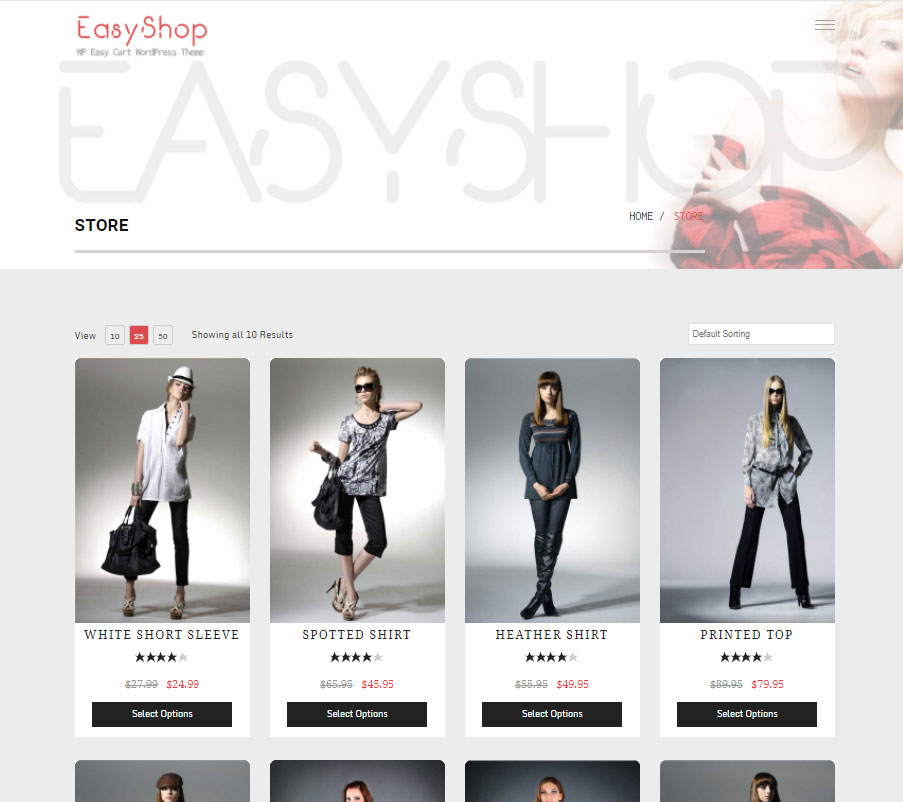

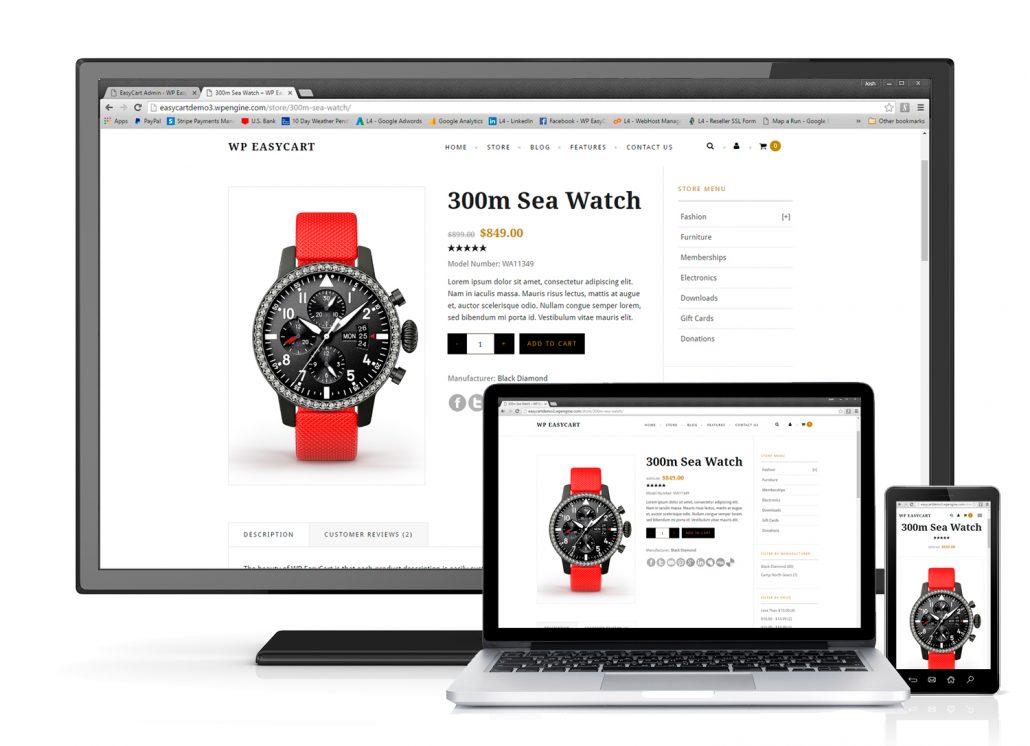
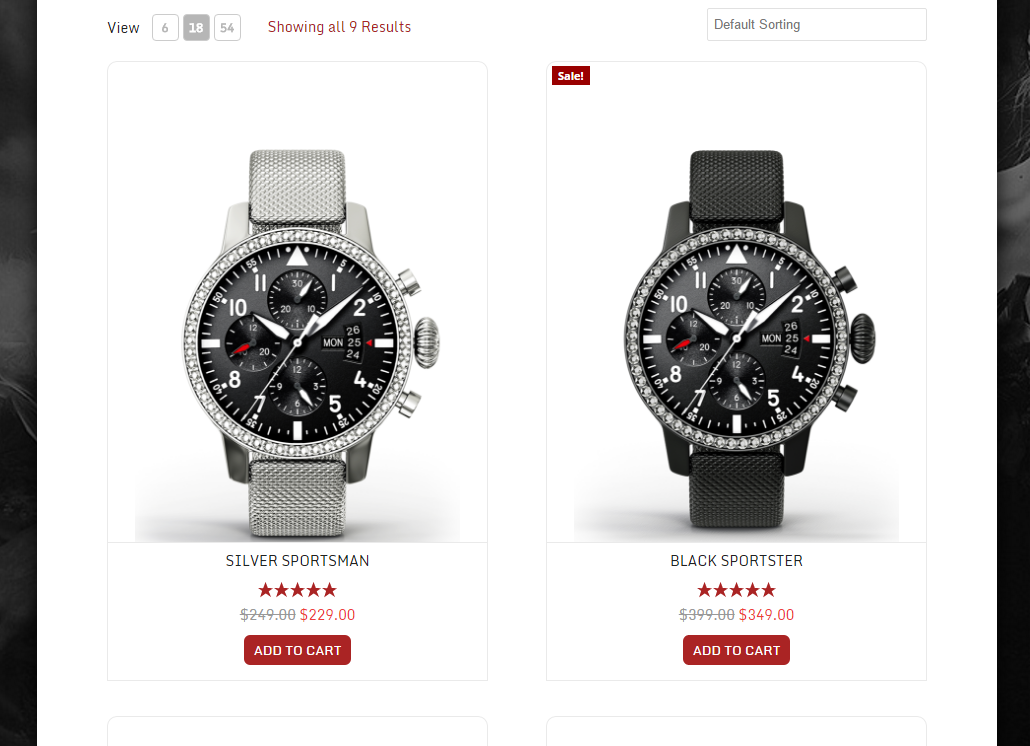
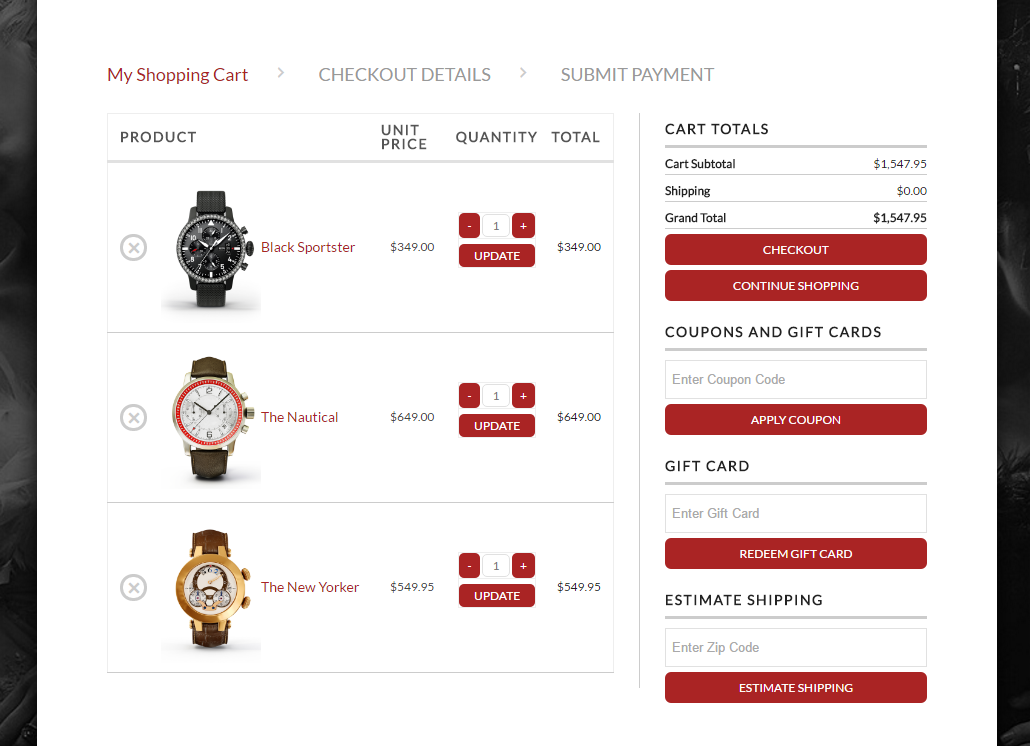
Blocks
This plugin provides 1 block.
- WP EasyCart
Asennus
- In your WordPress admin, go to Plugins › Add New, search for ”WP EasyCart”, then install and activate it.
- Follow the setup wizard to create your store pages and choose how you take payments, charge tax and ship.
- Add your products under WP EasyCart › Products.
- Connect Stripe, Square or PayPal under WP EasyCart › Settings › Payments.
To try Pro, open WP EasyCart › Registration and choose Start free trial.
UKK
-
Is WP EasyCart really free?
-
Yes. The free plugin has unlimited products and orders and no time limit. On the free plan, payments taken through Stripe, Square or PayPal connected with WP EasyCart carry a 2% WP EasyCart fee; Pro and Premium have no WP EasyCart fee. Your payment provider’s own processing fees always apply.
-
Free is a complete store. Pro adds the features a growing store needs, such as 30+ more payment gateways, live shipping rates, subscriptions, coupons, invoicing and full reports, with no WP EasyCart fee. Premium adds the store manager apps and the Premium extensions. Pro and Premium both use the WP EasyCart PRO plugin. See plans and pricing.
-
Can I try Pro before I buy?
-
Yes. Start a 14-day free trial of Pro from WP EasyCart › Registration. No card is needed, and WP EasyCart installs everything for you.
-
How do licenses work?
-
A Pro or Premium license covers one website and includes 12 months of updates and support. Licenses never renew on their own; renew from your account at wpeasycart.com whenever you choose. It also runs on up to 3 development copies of your store, such as localhost or a staging site, while your live store keeps it, and you can move a license to a new live site.
-
Will it work with my theme?
-
Yes. WP EasyCart works with any WordPress theme and creates its store, cart and account pages for you. You can also design your store pages with Elementor or the block editor.
-
Can I show products without selling them?
-
Yes. Turn on catalog mode to show your products without the Add to Cart button.
-
Which payment gateways can I use?
-
The free plugin takes payments through Stripe, Square and PayPal, including Apple Pay and Google Pay, and can take manual payments such as bank transfer. Pro adds 30+ more, including Authorize.net, Braintree, NMI, PayTrace, Intuit Payments, Moneris, eWAY and Global Payments.
-
Can I sell on Facebook and Instagram?
-
Yes, with the Facebook & Instagram extension that comes with Premium. It keeps your Facebook and Instagram catalog in step with your store.
-
Does WP EasyCart help with privacy laws such as GDPR?
-
Yes. It works with the leading cookie banners and Google Consent Mode, so tracking waits for each shopper’s consent, and your customers are included in WordPress’s personal data export and erase tools.
-
Can I manage WP EasyCart with WP-CLI?
-
Yes.
wp easycart infoshows the version, whether the database is up to date and your plan, andwp easycart db upgradefinishes a database update after you update from the command line withwp plugin update. Runwp help easycartfor every option. -
Where can I get help?
-
Start with the documentation. Pro and Premium stores get one-to-one support from our team at support.wpeasycart.com.
-
Where do I report a security issue?
-
Please report security issues through the Patchstack Vulnerability Disclosure Program. The Patchstack team will help verify the issue and let us know.
Arvostelut


Avustajat & Kehittäjät
“WP EasyCart: Shopping Cart and eCommerce Store” perustuu avoimeen lähdekoodiin. Seuraavat henkilöt ovat osallistuneet tämän lisäosan kehittämiseen.
Avustajat

“WP EasyCart: Shopping Cart and eCommerce Store” has been translated into 3 locales. Kiitoksia kääntäjille heidän työstään.
Käännä “WP EasyCart: Shopping Cart and eCommerce Store” omalle kielellesi.
Oletko kiinnostunut kehitystyöstä?
Browse the code, check out the SVN repository, or subscribe to the development log by RSS.
Muutosloki
6.0.4
- New Feature – Your license also runs on up to 3 development copies, such as localhost or a staging site, beside your live store: enter the key on the copy and the live store keeps its license, and see or remove the copies on the Registration page.
- New Feature – EU withdrawal button, as EU law requires since 19 June 2026: shoppers withdraw from an order online with a ”Withdraw from contract here” button, a short form and a confirm step, and get an emailed receipt, while you get an email and the order is flagged for you; products can be marked as having no right of withdrawal, and guests can find their order with its number and email.
- New Feature – Square gift cards: customers pay with the Square gift cards you sell at your register by typing the card number in the gift card box, with the rest paid by card through Square, and the gift cards you sell online can be Square gift cards that work at your register too.
- New Feature – WP-CLI commands: check your store with wp easycart info, and finish database updates from the command line with wp easycart db upgrade.
- Improvement – Limit an offer to customer roles, such as Wholesale, so coupons and promotions can be just for your trade customers, and their badges show only to those customers.
- Improvement – Try your live store with Stripe test cards: customer accounts set to Stripe test mode check out with your Stripe test keys while everyone else pays live, the payment step tells them so, their orders are marked as test payments and refund in test mode, and Settings › Payments and Diagnostics show which mode Stripe is in.
- Improvement – Stripe with your own API keys keeps your live keys and test keys side by side, with a choice of which ones the store takes payments with, and a signing secret for Stripe’s test-mode notifications.
- Improvement – Pages load faster, most of all on stores with several languages: only the language a page shows is read, and Site Health no longer warns that autoloaded options could affect performance.
- Improvement – Stores with an object cache such as Redis or Memcached stay fast while shoppers buy: adding to the cart and checking out no longer empty the whole site’s cache.
- Improvement – The one-page checkout’s cart has a modern look on every theme: quantity buttons, each offer’s saving and an estimated total under the subtotal, a clear Checkout button, and an outline of the cart while it loads; its order summary lets shoppers change quantities with + and – buttons and remove items without leaving the checkout.
- Improvement – When a quantity can’t go higher or lower, the cart tells the shopper why, right at the item: only so many in stock ( counting the same item with other options already in the cart ), the item’s purchase limit or its minimum, on the cart page, the one-page checkout’s cart and its order summary.
- Improvement – On both checkouts, a click anywhere on the terms or newsletter wording ticks the box, and a click anywhere on a payment choice chooses it.
- Improvement – A new order confirmation page: the thank-you card, the items with their pictures and the order’s totals, the order’s details and addresses, and how to pay a bank transfer order with its Pay now link; each order in My Account has the same modern look.
- Improvement – A modern My Account: one menu beside every page ( a row of tabs on phones ), breadcrumbs back to the orders and the dashboard, orders listed as cards with their pictures and status, a cleaner dashboard, and new sign in, create account, password and address forms; a guest’s order link shows just the order.
- Improvement – The one-page checkout and My Account show what they are doing while they load, sign a customer in or out, save or change screens, and say so when a slow server takes longer than usual.
- Improvement – The gateway log keeps short, readable entries when the store renews its connection to Square, PayPal or a shipping carrier, and Square and Stripe connect through WP EasyCart Connect’s newer services.
- Improvement – The product editor shows a product on one page, with a list to jump between its sections, or one section at a time if you prefer; a summary column keeps its status, type, shipping, tax, categories, manufacturer, listing health and storefront card in view ( on phones and narrow screens it slides in from a Summary button ), with a clear note when a product does not ship, previous and next move through your product list, sections follow the job with clearer names, shipping, weight, size and customs sit together in one Shipping section, the description, short description and specifications share one card with tabs, one product type choice shows only the sections that type uses, every change waits for Save with a Discard button, and adding a product can now pick its categories.
- Improvement – Product variations are edited in one table with their own SKU, price, stock, weight and cost: tick rows to set many at once, raise prices by an amount or a percent, build SKUs from a pattern, copy a value down the list and save everything with the product’s Save, and make option sets such as ”Size: S, M, L” right on the product.
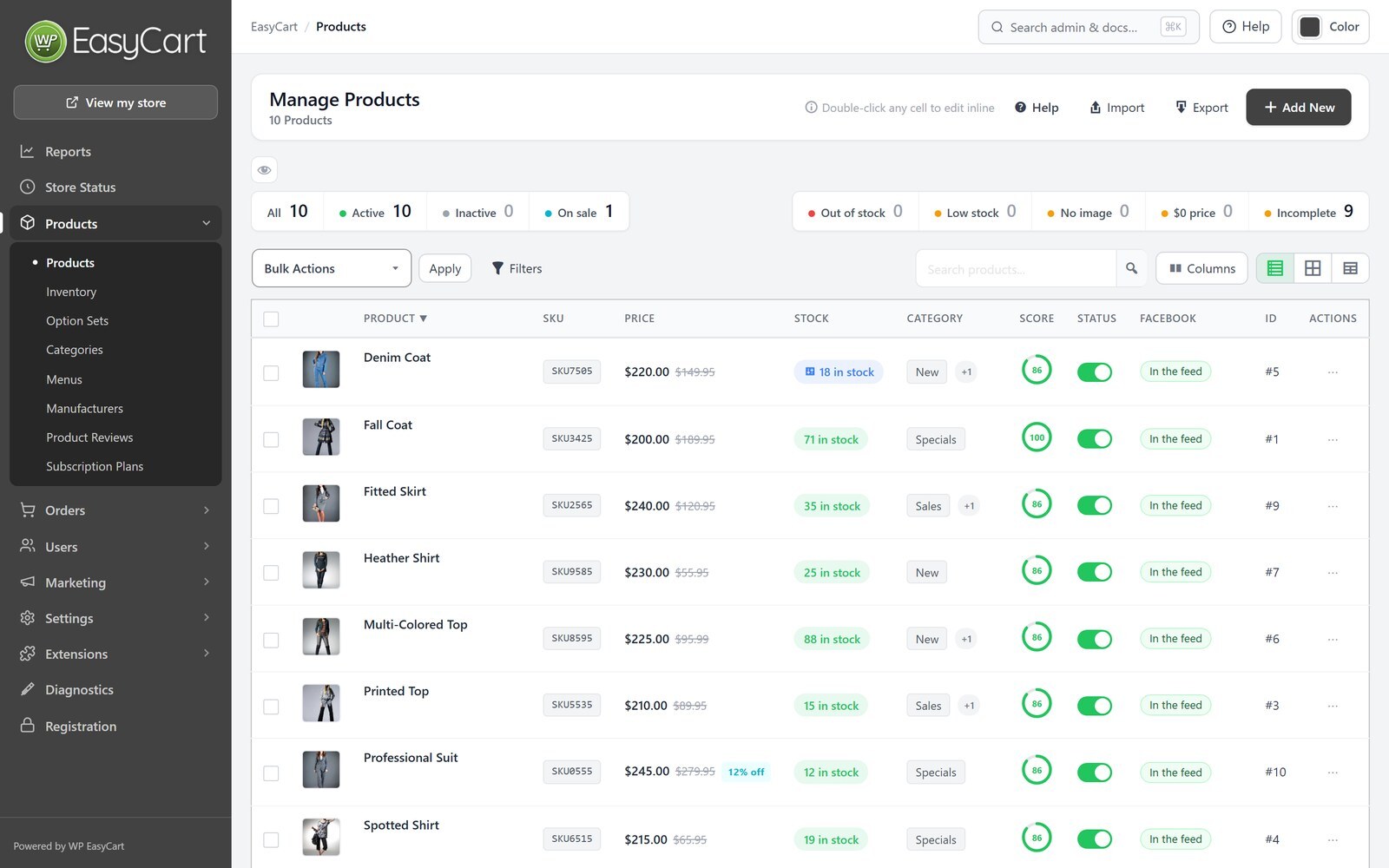
- Improvement – Filter the products list by product type, such as physical products, services, downloads, subscriptions or gift cards.
- Improvement – At checkout the card form takes its ZIP / postal code from the billing address instead of asking for it again, so the two always match: Stripe uses the billing address, and Square fills it in and asks the shopper to correct a different one.
- Improvement – Danish, German, Spanish, French and Italian translations cover everything new in this release.
- Bug Fix – Checkout buttons keep your store’s colours on themes that style every button, so Place order and the cart’s Checkout button are easy to see again.
- Bug Fix – On the one-page checkout, changing a quantity or a coupon updates the subtotal and the price of each shipping choice straight away, the shipping choices always match the address last typed, and Edit Cart opens the cart again instead of spinning.
- Bug Fix – On the one-page checkout, shoppers who create an account ( a download in the cart, or guest checkout off ) can place their order instead of being told their session expired, and names and addresses with an apostrophe, such as O’Neil, are saved without an extra backslash.
- Bug Fix – A customer who creates an account on the one-page checkout keeps the address from their first order as the account’s billing and shipping address, as the stepped checkout always did.
- Bug Fix – Products with shipping turned off no longer bring up shipping choices at checkout.
- Bug Fix – A Stripe payment always becomes an order, even when the checkout page loses track of it ( a dropped connection, a phone that went to sleep, a closed tab ), and shoppers are never asked to pay a second time.
- Bug Fix – Apple Pay through Stripe opens its payment sheet again on both checkouts and on pay links, instead of staying on ”Your payment is processing”.
- Bug Fix – Orders paid with Apple Pay or Google Pay through Stripe keep the card’s own billing state or province instead of taking the shipping address’s.
- Bug Fix – Square and PayPal payments make one order each, even when the shopper presses pay twice or the connection retries, and NMI card payments with 3-D Secure no longer leave an extra unpaid order.
- Bug Fix – Names and addresses with an apostrophe, such as O’Neil, are saved without an extra backslash when shoppers pay with Apple Pay, Google Pay or Square, subscribe, create or update their account, or join the newsletter, and an email address with an apostrophe can join the newsletter.
- Bug Fix – Checkout protection no longer refuses real shoppers on stores that use an object cache such as Redis or Memcached, where they were told to reload the page and could not pay.
- Bug Fix – On stores that use an object cache such as Redis or Memcached, a category switched on or off, featured, renamed or moved shows on the store straight away instead of the store keeping the old categories.
- Bug Fix – A page limited to users, roles or products with WP EasyCart Limit Access but no redirect address set opens for everyone again, as before 6.0.2, instead of sending visitors to the home page.
- Bug Fix – A customer account set to Stripe test mode no longer puts admin screens in test mode, and works on stores that use their own Stripe keys.
- Bug Fix – Connecting Stripe from the setup wizard keeps the connection instead of coming back without it.
- Bug Fix – A declined card on the payment step no longer leaves ”Your payment is processing” over the page.
- Bug Fix – Checkout fields look the same on every theme: readable labels and fields, dropdown arrows, a visible outline on the field you are in, and no zooming in on phones.
- Bug Fix – Products added from a CSV import keep the formatting in their descriptions and specifications, link to their own product page and get their pickup locations, and Diagnostics links products an earlier import tied to a menu item, page or image back to their own pages without changing anything else.
- Bug Fix – Bulk editing customers to add a tag no longer says ”No changes selected” when the tag was added.
- Bug Fix – Refunding a Square order shows Square’s own reason when Square refuses it, and a lost connection to Square during a refund or a checkout is reported instead of stopping with an error.
- Bug Fix – Items put back in stock after a refund or a cancelled order go back into your Square inventory too, and items sold through a pay link or an order marked as paid come off it.
- Bug Fix – A store testing Square in its sandbox can connect its live Square account from Square’s settings, and switch between the two once both are connected.
- Bug Fix – Square payments work on stores whose Square settings were saved with ”Your default Square location”, where every card payment stopped with ”An unexpected error occurred while verifying buyer”.
- Bug Fix – The Your Downloads list in My Account shows each download with its own name and link, the downloads used ( counted up as the customer clicks ) and when it expires, and its heading follows your store’s language.
- Bug Fix – On right-to-left stores the cart page no longer zooms out on phones, and pages with the store menu widget or a product inquiry form no longer scroll sideways.
- Bug Fix – A license key entered on the Registration page during a Pro trial, or after support and updates have expired, activates again instead of saying the form had expired.
- Bug Fix – The cart’s totals after a change now always match the cart page, so free shipping promotions and a shipping estimate’s VAT and fees count straight away, and a coupon larger than the cart no longer leaves shipping tax in the card payment.
- Bug Fix – Bank transfer and check orders are reported as paid to analytics, email marketing, affiliate and other connected services once you mark them paid, not when they are placed, and only once.
- Bug Fix – Updating from the command line updates the database tables without anyone opening wp-admin, and the database check on Store Status finds missing columns on Windows servers too.
- Bug Fix – Products made with Add New are shippable again when the panel hides the shipping fields, and saving a product with a SKU another product already uses says so under the SKU field instead of ”Product saved.” without saving.
- Bug Fix – Quick edit and bulk edit leave the stock of products tracked per variation to their variations instead of overwriting it, quick edit keeps the product page’s title and status in step, and the products list’s spreadsheet view saves weight.
- Bug Fix – Text typed in Code mode in a product’s description, specifications or notes is saved even when you open another section before saving.
- Bug Fix – Duplicate Product in the product editor works again, and a duplicated product keeps each variation’s SKU, price, weight, cost, picture and settings.
- Bug Fix – Without an active license, the product editor no longer offers modifier and variation tools that could not save.
- Bug Fix – Order exports include the coupon codes customers entered for offers, and show which promotions each order and each item got and how much every code and promotion took off.
- Bug Fix – Customers who open a pay link in a new browser, such as from an invoice email, can pay on the first try instead of being asked to reload the page.
- Bug Fix – Duplicate on a subcategory in the categories list makes the copy instead of opening a blank page that shows ”0”.
- Bug Fix – Premium licenses that renew automatically unlock every Premium feature and extension, and a license that renews automatically shows when it renews instead of asking you to renew.
- Bug Fix – The products list’s Stock, Price Range and Completeness filters now work when WordPress is in another language, such as German, French or Spanish.
- Bug Fix – German receipts, invoices and refund emails end with ”Herzlichen Dank!” instead of sample bank transfer details, and the guest checkout messages in French, Spanish, Greek and Dutch read correctly again.
- Bug Fix – A gift card with nothing left on it says it has been used up, instead of being accepted with nothing taken off or called not valid.
- Bug Fix – Product pages, the cart and the offer’s cart tester agree on the offers a customer gets: an offer set to win alone, such as a wholesale discount, wins over offers that run before it when it saves the customer more, product pages show only the offers that customer gets and the price they pay, and the tester lists every offer in the cart at that customer’s own price, with or without VAT, and says why another one does not apply.
6.0.3
- New Feature – Import your store from WooCommerce or Square ( Products › Import ): products with their variations, categories, brands, pictures, stock and reviews, ten products to try first, a report of everything that came across, a one-click undo, and old WooCommerce addresses that keep working.
- New Feature – Sell subscriptions from a pricing table on any page or in Elementor: up to four plans, each sold monthly and yearly, as cards or a compare table, with a monthly / yearly switch, the yearly saving shown, a list of what each plan includes and any free trial, and an offer to switch to yearly for monthly subscribers, and the choice to let customers buy more than one, for licenses or seats.
- New Feature – Subscribers get a reminder email before a yearly renewal and before a free trial ends, each with the date, the price and a link to cancel.
- New Feature – Changing plan in My Account shows what the change costs and when it starts before the subscriber confirms: an upgrade is paid first, a change can wait until the renewal date, and a waiting change can be cancelled.
- New Feature – Move current subscribers to a new price: each is emailed the old price, the new price and the date first, and pays the new price from a renewal at least the notice you choose away.
- New Feature – Royal Mail at checkout for UK shops: 1st and 2nd Class, Signed For, Tracked 24 and 48, Special Delivery, and International Standard, Tracked and Economy, priced by each parcel’s size, weight and destination from Royal Mail’s Online or Post Office prices, which change over on the day Royal Mail changes them.
- Improvement – Reports show subscriptions by plan and billing period and how many pay yearly, and monthly recurring revenue counts paying subscriptions the same way everywhere.
- Improvement – Choose whether receipts, the order confirmation page and My Account say a payment is still being processed, for stores that take bank transfer, invoice or pay on pickup.
- Improvement – Cancelling an order puts its stock and any gift card balance it used back, each with its own setting.
- Improvement – Add New creates a product as live or as a draft, with its variations and modifiers picked together.
- Improvement – reCAPTCHA keys are tested before spam protection switches on, so a wrong key can never lock shoppers out of signing in.
- Improvement – The Payments settings page is easier to scan: one line for each way customers pay, a gateway list you can search by name or country with the recommended gateways first, and one Save button in each gateway’s settings.
- Improvement – Sharing anonymous usage data is clearer: a page lists exactly what is sent, and turning it off deletes what was shared.
- Improvement – Elementor: account forms in a popup open again to show their message or the password reset form, and the Cart and Order Summary widgets load the shopper’s cart after the page, so no page cache can hold it.
- Improvement – EasyCart › Extensions says when an extension needs WP EasyCart Premium installed to update, and when Premium can’t be installed in one click it says why and offers its download and the install steps instead of sending you to your account.
- Improvement – Invoice PDFs, packing slips and other printed documents use tighter print spacing, so a typical invoice fits on one page, and a long item list now continues onto the next page instead of leaving the first page part empty.
- Improvement – When a label service such as Stamps.com, Shippo or ShipStation is connected, Buy label is the main button where you ship an order.
- Improvement – When WP EasyCart PRO is too old for WP EasyCart, one click installs its latest version, and its update from the Plugins screen goes through, even while its license has lapsed, so you can renew or enter a new license key.
- Improvement – The subscription checkout takes the card in the same Stripe payment form as the regular checkout, in your Stripe theme and layout, with the same progress card while the payment goes through, and a cleaner look that says when a free trial ends, what the first payment will be after any coupon, and what the subscription renews at when a coupon covers only the first payment.
- Improvement – A customer who may buy a subscription again sees the one they already have, with a link to manage it, above the subscription form.
- Improvement – A subscription in its free trial shows Trial in My Account, with when the trial ends and the first payment, instead of a payment date for the free trial; changing plan during the trial keeps it a trial and no longer records an empty $0 order.
- Improvement – Translations brought up to date: the admin in Danish, German, Spanish, French and Italian, and the storefront phrases in every language, including the Elementor widgets, checkout fields and shipping notes that still showed in English.
- Bug Fix – Cancelling a subscription from My Account no longer notifies integrations such as Zapier twice.
- Bug Fix – Stripe’s ”trial ending soon” notice now emails the subscriber.
- Bug Fix – Connecting Square from the setup wizard now keeps the connection.
- Bug Fix – Importing from Square keeps every item’s variations and their prices even without stock, and running it again no longer adds every item a second time.
- Bug Fix – Export All on the products list exports only the products the list shows when it is filtered or searched, such as one manufacturer’s products, and each product’s picture columns show the picture the store shows.
- Bug Fix – Store pages show a product’s first picture instead of the ”image not found” picture when its gallery starts with a picture added before the gallery.
- Bug Fix – Cart reminder and review request emails, subscription renewals, items added to an order by hand, free gift and bundle choices, the [ec_product] shortcode, the products list and quick edit show the picture the store shows, never an old picture left behind by the product’s gallery.
- Bug Fix – Error and success messages on the store, cart, checkout, subscription and account pages have a cleaner look, and a message no longer pushes the subscription page’s billing choices out of place.
- Bug Fix – Subscriptions always charge the product’s current price: a changed price or billing period no longer keeps billing the old one, and saving a subscription product in Stripe test mode no longer creates extra Stripe products.
- Bug Fix – One-time option charges on a subscription are charged once with the first payment instead of every billing period.
- Bug Fix – Changing plan in My Account keeps the subscription’s quantity, no longer offers products that are switched off, and says when a different billing schedule is charged right away.
- Bug Fix – Members on a free trial, or who cancelled but paid through the end of their period, keep access to members-only content.
- Bug Fix – Subscriptions billed every few days can be saved, and billing periods read correctly in every language, such as ”/3 months” and ”for 2 years”.
- Bug Fix – Product, category and brand pages that use the store page’s theme template now load like every other page, so other plugins’ redirects, page caching and Elementor’s own styles work there too.
- Bug Fix – Elementor: closing the cart panel that opens after adding a product no longer leaves the page unable to scroll on sites with a sticky header, and a cart icon hidden while the cart is empty now opens on the first add.
- Bug Fix – The Renew license item in the WP EasyCart menu opens the renewal page for your license again.
- Bug Fix – On the Registration page of an ended license, Deactivate on this site now releases the license instead of switching off WP EasyCart PRO, and a new license key can be entered there.
- Bug Fix – Royal Mail is back in the order screen’s carrier list, which now offers the major carriers for your country first and lets you type any other carrier, with a tracking link in the shipped email for each one it knows.
- Bug Fix – Store Status no longer says no live rates are set up when all of them come from a rate service such as Shippo or ShipStation.
- Bug Fix – The admin screens keep their layout on hosts whose firewall blocks any file with ”shell” in its name.
- Bug Fix – Receipts, shipped emails, password emails and invoices greet the customer at the same size as the rest of the text, without a stray colon after ”Dear”.
- Bug Fix – Percentage offers take whole cents off, so the offer in the cart totals, the item’s price in the cart and the product page’s price always agree.
- Bug Fix – Gift cards pay exactly what an order still costs, like any other payment: the price after an offer plus shipping, tax, fees and tips, so a card is never charged more than the order and the total never goes below zero.
- Bug Fix – Subscription product pages no longer refuse Sign Up when the product shows a stock count of zero.
- Bug Fix – Deleting WP EasyCart removes all of its database tables, including those for reports, imports and pricing tables.
- Bug Fix – A subscription checkout now only shows and charges the options and quantity chosen for that subscription, never ones picked for another earlier in the same visit, and asks for any required options that were never chosen.
6.0.2
- New Feature – Redesigned order screen: see where every order stands, ship it in one step with tracking and an email to the customer, tick off items as you pack, and move between orders with search and keyboard shortcuts.
- New Feature – Boxes and packages: save the boxes you ship in, have new orders packed automatically, and track every package through to a new Delivered status.
- New Feature – Checkout protection: stops card-testing bots at your checkout, on by default, with automatic extra checks during an attack and support for Cloudflare Turnstile and reCAPTCHA.
- New Feature – Checkout fields: add your own questions to the checkout, show them only when they apply, and keep the answers on the order, in emails and on documents.
- New Feature – Gift orders: shoppers can send an order as a gift with a personal message, and the recipient can get a gift receipt without prices.
- New Feature – Invoicing for business customers: numbered invoices and credit notes, PO numbers, payment terms such as Net 30, rules that pick the right documents for each order, and invoices and receipts customers can download from My Account.
- New Feature – Pay links: send customers a secure link to pay an order, or its remaining balance, by card, PayPal or bank transfer.
- New Feature – Create orders in the admin for phone orders and quotes, then save a draft or email the invoice with its pay link.
- New Feature – Order payments: every order keeps what the customer actually paid, so an edited order shows the balance or refund due, and a refund can be split across several payments.
- New Feature – Order sources: see where every order came from, such as search, ads, email, social media or AI assistants like ChatGPT, Perplexity, Gemini and Copilot.
- New Feature – Rebuilt Reports: accurate totals in your time zone, comparisons with earlier periods, reports for products, customers, codes, carts, sources, profit, fulfillment, searches and subscriptions, CSV exports and a weekly summary email.
- New Feature – Search & AI: product pages tell Google, Bing and AI assistants your prices, stock, variants, reviews, returns and shipping, with a checklist on every product.
- New Feature – Google product feed: a feed that keeps itself up to date for Google Merchant Center, Microsoft Merchant Center and Pinterest, with a one-step connection to Google Merchant Center.
- New Feature – Meta Conversions API: send your store’s events from your server as well as the Meta Pixel, counted once by Meta.
- New Feature – Privacy: works with Complianz, CookieYes, Cookiebot, the WP Consent API and Google Consent Mode so tracking waits for each shopper’s consent, and WordPress’s personal data export and erase tools now cover your customers.
- New Feature – Email marketing: sync subscribers, orders and abandoned carts with MailerLite, Kit and ActiveCampaign, or with Mailchimp and Klaviyo through the Email Marketing extension.
- New Feature – Offer codes in bulk: import, generate up to 10,000 at a time and export codes, use offer codes on subscriptions, and test any code against a product.
- New Feature – Tax services: choose TaxCloud, TaxJar or an extension such as Avalara AvaTax to calculate tax across your store, with built-in connection tests.
- New Feature – Elementor: design product and category pages with templates and ready-made layouts, and build your shop, cart, checkout and account pages with dozens of new widgets, including a side cart.
- New Feature – Fulfillment partners: sell products made and shipped by a print-on-demand partner, with the partner’s shipping added at checkout ( Printful and Printify extensions coming soon ).
- New Feature – Extensions page: every WP EasyCart extension in one place, with what is installed and what needs an update.
- New Feature – Choose and reorder the columns on every admin list.
- New Feature – PayTrace payment gateway.
- Improvement – One-page checkout is out of beta and works with every payment method, including 3-D Secure, PayPal, Affirm, Amazon Pay, Apple Pay and Google Pay.
- Improvement – Placing an order shows its progress and locks the checkout, so an order can never be sent twice.
- Improvement – Variations keep their SKU, price and stock when you change a product’s options, and can have their own weight and cost.
- Improvement – DHL live rates use DHL’s current MyDHL API.
- Improvement – Card fees set in Flex-Fees now also apply to Apple Pay, Google Pay and Link.
- Improvement – Tracking links work with more carriers, including DHL, Canada Post, Australia Post and Royal Mail.
- Improvement – Faster pages for stores with many coupons, and faster Reports and order screens on large stores.
- Improvement – Declined cards show shoppers a simple message instead of the bank’s reason.
- Improvement – Payment notifications from Stripe, PayPal and other gateways are confirmed before they change an order.
- Improvement – WordPress User Sync: customers are signed in to your store and WordPress right away, and accounts stay linked when an email or password changes.
- Improvement – The WooCommerce import can pick up where it stopped, keeps your category tree and brings in …